The best alarm app for heavy sleepers is one you cannot switch off while you are still half asleep. On iPhone, that means an app with wake-up missions (math, push-ups, a photo, a barcode scan), no snooze button, and a wake-up check that rings again a few minutes later. Weky and Alarmy are the two strongest options. Weky adds stacked missions, app blocking and a strict streak; Alarmy has a free, ad-supported tier. A louder alarm clock alone rarely fixes the problem — volume gets you to hear it, not to get up.
If you are a heavy sleeper — or a deep sleeper who has trouble waking — you already know the routine. The alarm goes off at 6:30. Somewhere between asleep and awake, your thumb finds the button. You open your eyes and it is 8:10. You don't remember turning it off. You are not lazy, and you are not alone — the gap between hearing an alarm and acting on it is where most alarms lose.
Key takeaways
- Heavy sleepers don't usually miss the sound — they dismiss it. Grogginess after waking, called sleep inertia, can impair thinking for 15–60 minutes, long enough to switch off an alarm you'll never remember.
- Louder alarms stop working. The brain habituates to a sound it hears every morning; volume buys you a few weeks.
- Missions beat volume. An alarm that only stops after a task that needs your eyes, hands and feet turns a reflex into a decision you make awake.
- Look for four features: missions, no snooze, a wake-up check, and something that keeps you from rolling back into your phone in bed.
- See a doctor if you sleep through every alarm despite seven or more hours of sleep — that can be a symptom, not a habit.
Why do normal alarms fail heavy sleepers?
"Heavy sleeper" isn't a medical diagnosis, but it describes something real: some people need a stronger signal to wake, and once awake they stay groggy for longer. Three things work against you every morning.
1. You wake up inside sleep inertia
Sleep inertia is the foggy, heavy state right after waking. In a review of the research, Tassi and Muzet describe it as a period of impaired performance and a strong desire to go back to sleep that typically lasts from a few minutes to around half an hour, and can stretch longer. A 2006 study in JAMA found that thinking in the first minutes after waking was as impaired as — or worse than — after a full night without sleep. That is the person deciding whether to turn off your alarm.
2. Deep sleep is hard to break
Waking from slow-wave sleep (deep sleep) produces the worst inertia, and deep sleep makes up a larger share of the night for younger adults. If your alarm lands in a deep sleep stage, you are trying to wake someone who is biologically built to stay down. That is why heavy sleepers find it harder to wake on some mornings than others, even at the same time to wake.
3. Your brain learns to ignore the same sound
Habituation is the brain's way of filtering out a repeated stimulus that seems harmless. Hear the same ringtone every morning and it slowly becomes background noise. That is why a new, louder alarm works for a week or two and then stops.
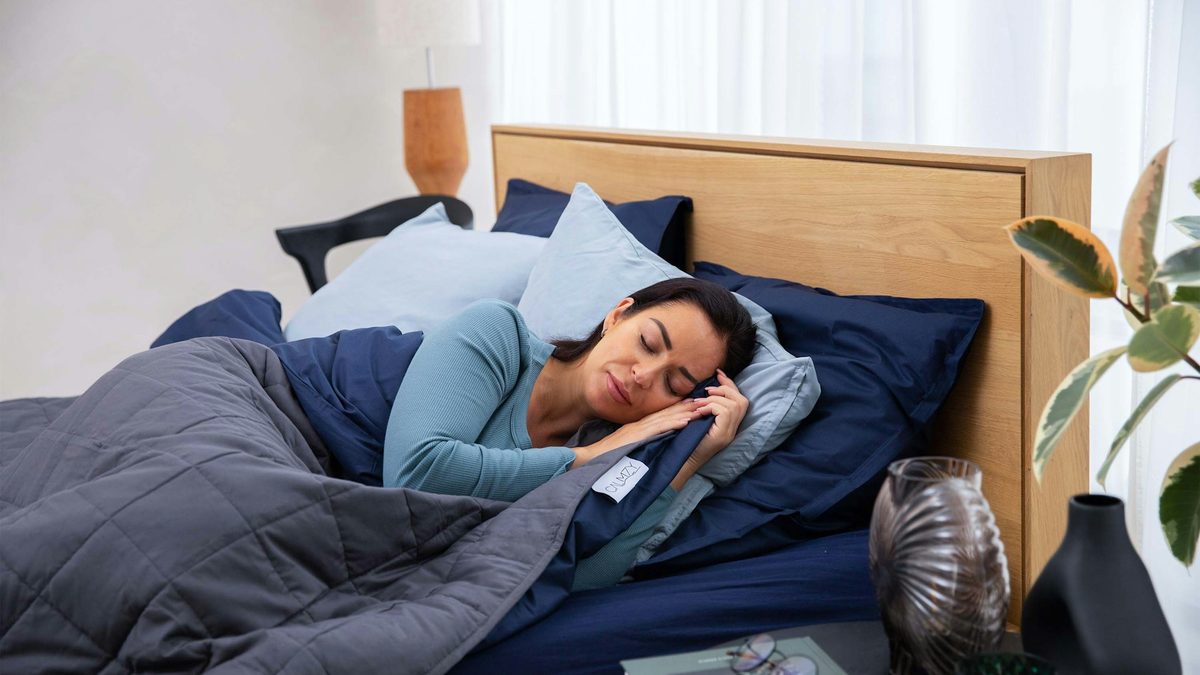
Put those together and the problem becomes clear. The alarm usually does wake you, just barely. Then a groggy, impaired version of you gets a one-tap way out. A better alarm doesn't need to be louder. It needs to make that tap impossible. (If you want the full science, read why you sleep through your alarm.)
What makes an effective alarm clock for heavy sleepers?
Before comparing apps, here is the checklist for an effective alarm. If you oversleep often, these are the alarm options and alarm settings that matter. Most "best alarm clock for heavy sleepers" lists rank by volume and ringtone count. Those matter least.
| Feature | Why it matters for a heavy sleeper |
|---|---|
| Wake-up missions | The alarm only stops after a task you can't do asleep — math problems, typing, push-ups, a photo. |
| Missions that get you out of bed | A barcode or photo of something in another room forces your feet onto the floor. |
| Several missions on one alarm | One mission can become automatic; a chain of two or three keeps your brain working. |
| No snooze button (anti-snooze) | Snooze is a built-in way to bargain with yourself at 6 a.m. Setting multiple alarms is the same bargain spread out. |
| Wake-up check | A second ring a few minutes later catches you if you crawl back under the duvet. |
| Rings when the app is closed | The alarm has to ring on the lock screen even if you force-quit the app. |
| App blocking | Feeds you scroll in bed keep you up late and keep you in bed in the morning. |
| Customizable missions | Difficulty, count and mission type should be yours to tune, so the alarm stays hard enough. |
| Streaks and history | Seeing which day of the week you lose makes the pattern fixable. |
The best alarm apps for heavy sleepers on iPhone, compared
If you can't wake up to a normal alarm, you don't need a special alarm sound — you need a great alarm design. Here's how each app like that stacks up.
We compared eight popular options against that checklist, using each app's US App Store listing in October 2026. A dash means the feature isn't offered or isn't listed.
| App | Weky | Alarmy | Sleep Cycle | RISE | Kiwake | Galarm | Alarm Clock for Me | iPhone Clock |
|---|---|---|---|---|---|---|---|---|
| Wake-up missions | 10 | ✓ | – | – | 3 fixed | – | math, shake | – |
| Missions that get you out of bed | ✓ | ✓ | – | – | ✓ | – | – | – |
| Several missions on one alarm | ✓ | ✓ | – | – | – | – | – | – |
| No snooze possible | ✓ | ✓ | – | – | ✓ | – | – | – |
| Wake-up check | ✓ | Premium | – | – | – | – | – | – |
| App blocking | ✓ | – | – | – | – | – | – | – |
| Sleep tracking | ✓ | ✓ | ✓ | ✓ | – | – | – | schedule |
| Habit tracker & streaks | ✓ | – | – | reminders | challenge | – | – | – |
| Ads | None | Free tier | None | None | None | None | Free tier | None |
| iPad | ✓ | ✓ | ✓ | ✓ | – | – | ✓ | ✓ |
1. Weky — best for heavy sleepers who beat every alarm
Full disclosure: Weky is our app, so read this section with that in mind — and check the table above, which uses the same yardstick for everyone. We built Weky for exactly one person: the one who has beaten every alarm they own. It is an alarm clock app designed for heavy sleepers from the ground up.
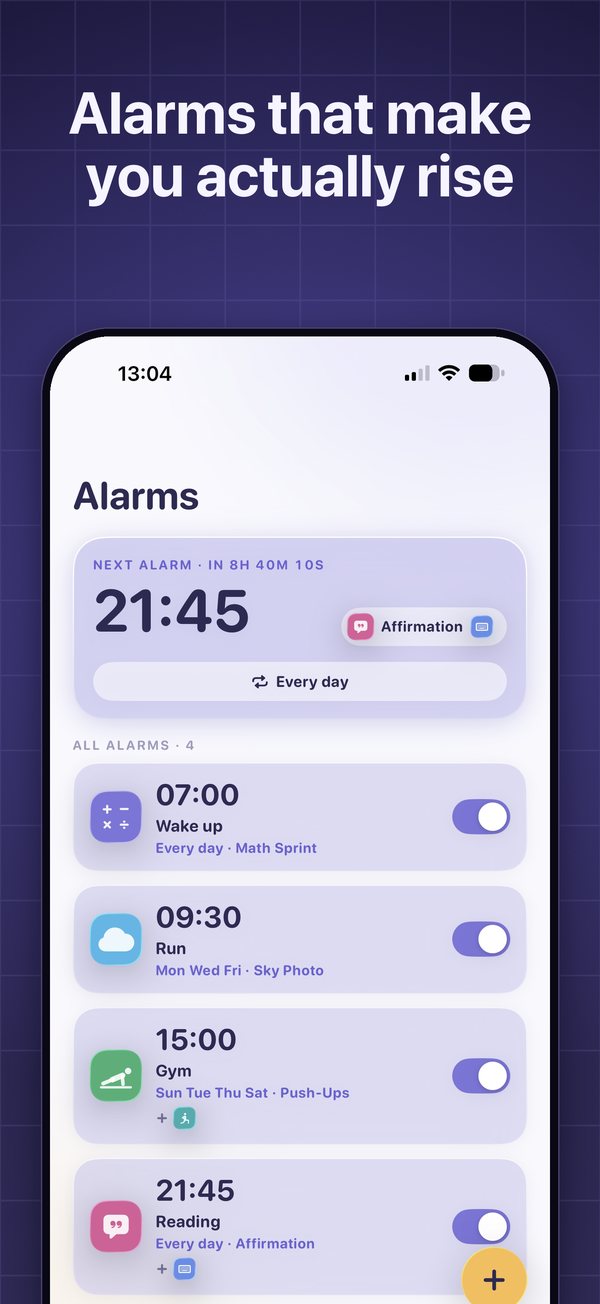
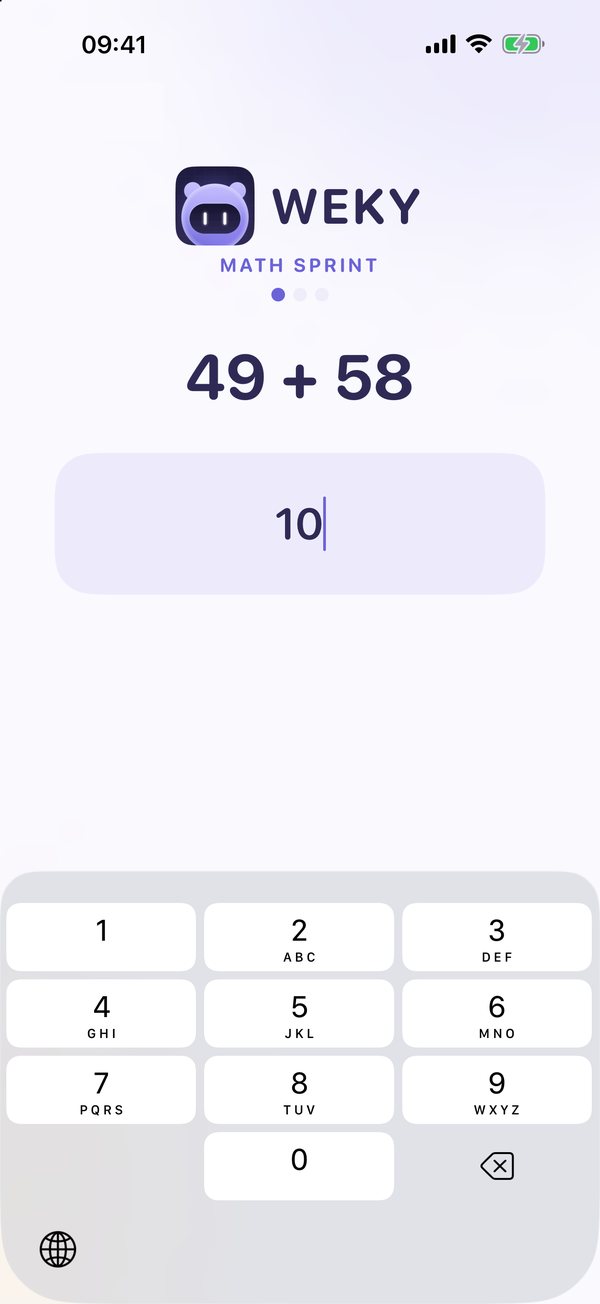
When a Weky alarm rings, it only stops after you finish a wake-up mission. There are ten: math, typing, push-ups and squats counted on camera, an object hunt, a photo of the sky, a photo of your made bed, a barcode scan, shaking the phone, and saying an affirmation out loud. You can chain several on one alarm — math, then push-ups, then a photo — and it only lets go when the last one is done. There is no snooze button.
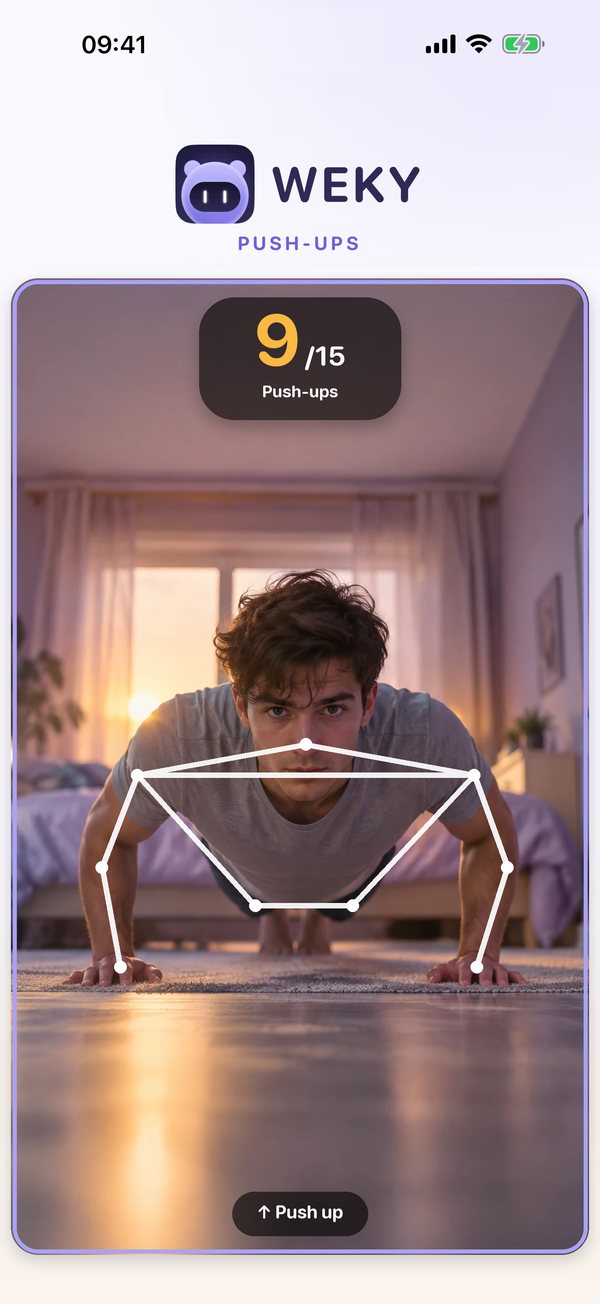
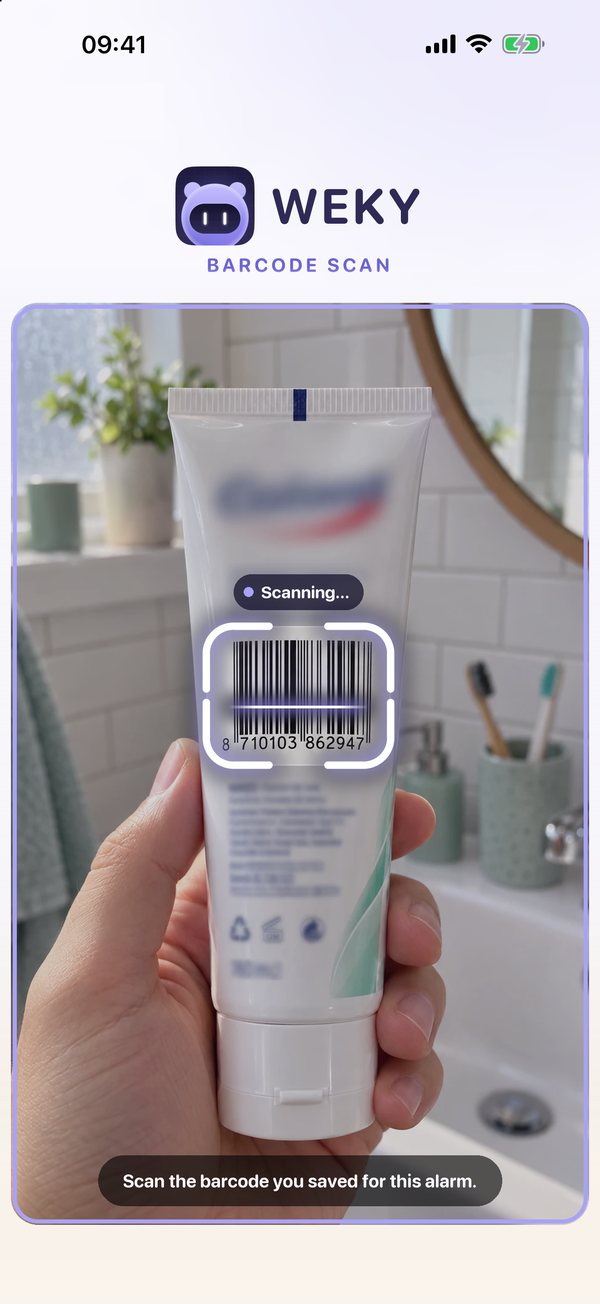
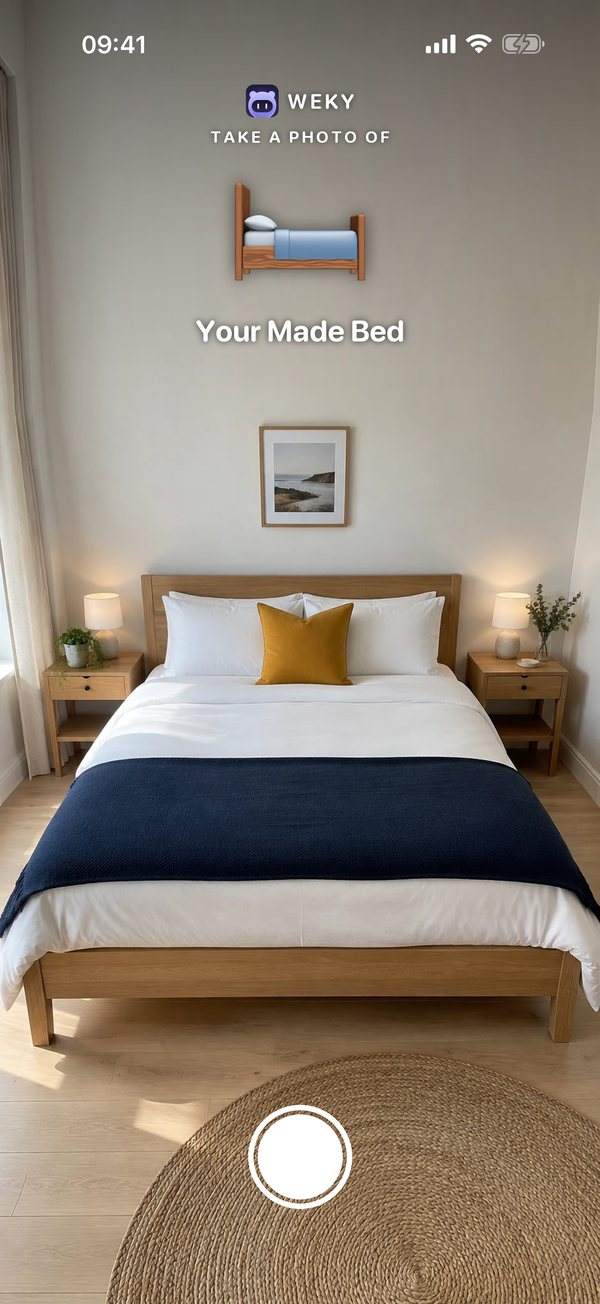
A few minutes after you finish, the wake-up check rings again and asks once more, so crawling back into bed doesn't work. The alarm is scheduled as a system alarm, which means it rings on your lock screen even if you force-quit the app, and Weky can't be deleted while it is ringing.
The part no other alarm on this list does: app blocking per alarm. Pick the apps you scroll at night, choose when blocking starts — 10 p.m., say — and they stay out of reach until your morning mission is done. Mission photos stay private on your phone. Weky also reads your sleep from Apple Health and shows each night next to the morning that followed it, keeps a habit tracker with its own 90-day calendar per habit, and runs a streak that resets to zero if you miss a morning. No freezes.
Who it fits: heavy sleepers and chronic snoozers who need the alarm to win every morning, and anyone who loses the night to their phone.
Trade-off: Weky isn't free. Setting alarms needs Weky Pro — $2.99 a month, $19.99 a year with a 7-day free trial, or $39.99 once.
Reliability: does the alarm ring every time?
An alarm only has one job, so this matters more than any feature list. Weky schedules a real system alarm. It doesn't need to stay open or run in the background: it rings on the lock screen at the time you set, even if you force-quit the app, restart your phone or have Silent mode, Sleep, Work or any other Focus turned on. Because nothing runs in the background, it doesn't drain your battery overnight, and there's no "keep the app open" warning or banner sitting in your Dynamic Island. Tap the alarm and your mission opens.
2. Alarmy — the best-known mission alarm
Alarmy popularised the mission alarm and is still the biggest name in the category. Its listing includes photo, math, shake, squats, memory, typing, QR and barcode missions, a wake-up check on premium, a feature to keep the phone from being switched off, plus sleep tracking with snore detection. It also offers a gentle wake mode alongside its loud alarms.
Who it fits: heavy sleepers who want a free alarm clock to start with and don't mind ads. It is also on Android, if you switch phones. Trade-off: the free tier shows ads and limits missions, and the wake-up check is a premium feature. There's no app blocking or habit tracker. See our full Alarmy alternatives comparison.
3. Sleep Cycle — best smart alarm for gentle wake-ups
Sleep Cycle tracks your sleep with sound or motion and uses a smart alarm to wake you during a light phase inside a window you set. It's excellent at showing your sleep patterns, snoring and trends. But it has no missions, and its alarm can be snoozed — so it suits light sleepers far better than heavy ones. More in Weky vs Sleep Cycle.
Who it fits: people who wake easily and want sleep data.
4. RISE — best for understanding sleep debt
RISE calculates your sleep debt and predicts your energy through the day from your circadian rhythm, syncing with Apple Health and wearables. It has a smart alarm and habit reminders, but nothing that forces you out of bed.
Who it fits: people who get up fine but feel tired all day.
5. Kiwake — the original no-snooze idea
Kiwake asks you to photograph a preset object away from your bed, play a short brain game and read your goals, with no snooze button. It was a clever design, but the listing shows the last update in April 2021 and no iPad version.
Who it fits: people who want one simple fixed routine and accept an app that's no longer updated.
6. Galarm — best for shared reminders
Galarm is a social alarm and reminder app: group alarms, alarms for a "buddy", flexible repeats. It's genuinely useful for planning, but it has no wake-up challenges and its alarms can be snoozed.
Who it fits: families and teams who need shared reminders, not heavy sleepers.
7. Alarm Clock for Me — a simple alarm with math and shake
This all-in-one clock offers music alarms, a sleep timer and a nightstand clock, with the option to shake the phone or solve a math problem to turn the alarm off. It also has big snooze buttons and ads in the free version.
Who it fits: light-to-moderate sleepers who want a nicer bedside clock.
8. The iPhone Clock app — free, reliable, and one tap from off
Apple's built-in alarm is dependable, lets you set alarm times quickly and can be set loud, with a sleep schedule in the Health app. But "Stop" and "Snooze" are one tap each, and that is exactly the action a heavy sleeper performs without waking.
Who it fits: people who already get up on the first ring.
The verdict
If you're a heavy sleeper, you need missions, no snooze and a wake-up check. Only Weky and Alarmy have all three. Choose Alarmy if you want a free, ad-supported start. Choose Weky if you want no ads, missions you can stack, app blocking that keeps you off your phone at night, and a streak that holds you to it.
How to set alarm settings for a deep sleeper
Whatever app you choose, the setup matters as much as the app. This is the routine we suggest in Weky:
- Start with one mission that needs your brain — Math Sprint or typing — so the first ten seconds aren't automatic.
- Add one that needs your feet. Register a barcode in the bathroom or kitchen, or choose the made-bed photo. Now the alarm stops in another room.
- Turn on the wake-up check for the mornings you used to lose.
- Block the apps that keep you up, starting an hour before your bedtime.
- Try every mission first. Weky lets you preview each mission, so nothing surprises you at 6 a.m.
Is a loud alarm clock or vibrating alarm better for heavy sleepers?
Not on its own. Every iPhone alarm app is capped by the same speaker and the same alarm volume, so the "loudest alarm app" race is mostly marketing. An extra loud alarm or a digital clock rated at 115 dB is loud enough to wake almost anyone — and that is rarely the problem. Because of habituation, loud sounds that shock you on Monday are wallpaper by the following week.
Vibrating alarms follow the same curve. A Bluetooth bed shaker or a vibrating alarm on your wrist is a real help for people who are hard of hearing, and a wrist that vibrates can wake you without waking a partner. Even a Pavlok shock clock, which zaps your wrist, only gets you to notice. None of them stop you from switching the alarm off and going back to sleep, which is the job of an extremely loud alarm noise plus a mission.
The alarm sound still matters. A 2020 study of people's waking sounds found that melodic alarms were associated with less reported grogginess than harsh beeps. Pick an alarm tone that's clear and rhythmic, change it now and then, and let a mission do the work of keeping you awake. In Weky you can preview every tone, from gentle to loud, before you commit.
Other habits that help heavy sleepers wake up
- Get enough sleep. Sleep inertia is far worse after short sleep, so going to sleep on time is part of waking up. Most adults need seven or more hours; our guide on how to sleep better at night covers the basics.
- Keep one wake time, weekends included. Your body starts preparing to wake before the alarm.
- Get light fast. Open the curtains or step outside within the first hour.
- Move. A few push-ups or squats raise your heart rate and shorten the foggy phase — the reason Weky includes them as missions.
- Charge your phone away from the bed — or let app blocking take the late-night scrolling off the table. See how to stop scrolling at night.
- Don't fight snoozing with willpower. Remove the option; here's how to stop hitting snooze.
When sleeping through alarms needs a doctor
Sometimes a heavy sleeper is simply short on sleep. Sometimes it's a sign of something else. Talk to a doctor if you regularly sleep through alarms after seven or more hours in bed, wake up unrefreshed most days, snore loudly or stop breathing in your sleep, or feel very sleepy during the day. Sleep apnea, depression, some medications and circadian rhythm disorders can all make waking much harder, and an alarm app can't treat any of them.
This article is general information, not medical advice.
Frequently asked questions
What is the best alarm app for heavy sleepers?
For iPhone, the best alarm apps for heavy sleepers are the ones that make you complete a task before the alarm stops and then check you are still awake. Weky and Alarmy both do that. Weky also stacks several missions on one alarm, blocks the apps you scroll in bed until your mission is done, and has no ads; Alarmy has a free, ad-supported tier.
Which iPhone alarm is best for heavy sleepers?
The built-in Clock app can be loud, but anything you can switch off with one tap is weak against a heavy sleeper, because you can do it without waking. Choose an alarm clock app that requires a mission — math, push-ups, a photo or a barcode scan — and has a wake-up check.
What is the loudest alarm app for iPhone?
Every iPhone alarm app is capped by your phone's speaker and volume, so no app is dramatically louder than another. Volume helps you hear the alarm; it does not stop you from switching it off and going back to sleep. That is the part a mission solves.
Do alarm apps actually work for heavy sleepers?
Mission alarms work for most heavy sleepers because they move the decision from a half-asleep tap to a task that needs your eyes, hands and attention. If you still sleep through every alarm despite seven or more hours of sleep, talk to a doctor — that can be a sign of a sleep disorder.
Are there free alarm apps for heavy sleepers?
Yes: Alarmy has a free tier with ads and a limited set of missions, and the iPhone Clock app is free. Weky is free to download, but setting alarms needs Weky Pro ($2.99 a month, $19.99 a year with a 7-day free trial, or $39.99 once).
How do I stop sleeping through my alarm every morning?
Get enough sleep at a regular time, put light in your room right after waking, and use an alarm that you cannot dismiss without getting up — ideally one with no snooze button and a wake-up check a few minutes later.
References
- Tassi P, Muzet A. Sleep inertia. Sleep Medicine Reviews, 2000;4(4):341–353.
- Hilditch CJ, McHill AW. Sleep inertia: current insights. Nature and Science of Sleep, 2019;11:155–165.
- Wertz AT, Ronda JM, Czeisler CA, Wright KP. Effects of sleep inertia on cognition. JAMA, 2006;295(2):163–164.
- Rankin CH, Abrams T, Barry RJ, et al. Habituation revisited: an updated and revised description of the behavioral characteristics of habituation. Neurobiology of Learning and Memory, 2009;92(2):135–138.
- McFarlane SJ, Garcia JE, Verhagen DS, Dyer AG. Alarm tones, music and their elements: analysis of reported waking sounds to counteract sleep inertia. PLOS ONE, 2020;15(1):e0215788.
- Sundelin T, Landry S, Axelsson J. Is snoozing losing? Why intermittent morning alarms are used and how they affect sleep, cognition, cortisol, and mood. Journal of Sleep Research, 2024;33(3):e14054.
- Ohayon MM, Carskadon MA, Guilleminault C, Vitiello MV. Meta-analysis of quantitative sleep parameters from childhood to old age in healthy individuals. Sleep, 2004;27(7):1255–1273.
- App Store listings for Alarmy, Sleep Cycle, RISE, Kiwake, Galarm, Alarm Clock for Me and Opal, US storefront, checked October 2026.