The best Alarmy alternative depends on what you need from your mornings. If you want a mission alarm with app blocking, a habit tracker and no ads, Weky is built for that. If you'd rather wake gently in a light sleep phase, choose Sleep Cycle. If you're tired all day rather than oversleeping, choose RISE. If you just need it to ring, the free iPhone Clock app is enough. Below, seven wake-up apps are compared on the same checklist, using each app's US App Store listing, so you can find the best alarm app for how you sleep.
Mission alarms are one of the most effective ways to get out of bed, and there are now several good ones: when the alarm won't stop until you finish a task — solving math problems or scanning a barcode in the kitchen — the groggy version of you can't just tap it away and drift back asleep. Each app makes different choices about features, price and design, so the right one depends on you.
Key takeaways
- Alarmy is genuinely good at missions and loud alarms. Stay if it already gets you up and the free tier is enough.
- Apps differ on ads, which features are free or premium, app blocking and habit tracking.
- Weky brings missions, stacking, no snooze, a wake-up check, app blocking and a habit tracker together in one app, with no ads.
- Not every alternative is a mission alarm. Sleep Cycle, RISE and Galarm solve different problems.
- On iOS 26, third-party apps can schedule system alarms that ring on the lock screen even if the app is closed — check that any alternative does.
Looking for an Alarmy alternative? What to look for
Whichever app you choose, these are the questions worth asking:
- Ads. Some free tiers are ad-supported; decide whether that matters to you at 6 a.m.
- What's free and what's premium. Check whether features like a wake-up check are included in the plan you'll use.
- The night before. Many people oversleep because they scrolled until 1 a.m.; app blocking can help.
- Habits. Getting up is usually step one of something — the gym, studying, a run. Some apps track those habits next to the alarm.
- Price. Compare the full yearly cost of the plan you need.
Is there a free Alarmy, and is Alarmy worth paying for?
Yes, there is a free Alarmy: the app is free to download, and the free tier gives you the core alarm, sleep sounds and some missions, supported by ads. Paying removes the ads and unlocks premium features like the wake-up check.
Is it worth paying for? If Alarmy already gets you out of bed, probably yes — a working alarm is worth more than most subscriptions. If you're paying and still oversleeping, or what you want is something Alarmy doesn't do, it's worth looking at the alternatives below before you renew.
Best alarm app alternatives to Alarmy, compared side by side
| Feature | Weky | Alarmy | Sleep Cycle | RISE | Kiwake | Galarm | Alarm Clock for Me | iPhone Clock |
|---|---|---|---|---|---|---|---|---|
| Wake-up missions | 10 | ✓ | – | – | 3 fixed | – | math, shake | – |
| Stack missions on one alarm | ✓ | ✓ | – | – | – | – | – | – |
| No snooze possible | ✓ | ✓ | – | – | ✓ | – | – | – |
| Wake-up check | ✓ | Premium | – | – | – | – | – | – |
| App blocking | ✓ | – | – | – | – | – | – | – |
| Habit tracker & streaks | ✓ | – | – | reminders | challenge | – | – | – |
| Sleep tracking | ✓ | ✓ | ✓ | ✓ | – | – | – | schedule |
| Ads | None | Free tier | None | None | None | None | Free tier | None |
| Android | – | ✓ | ✓ | ✓ | – | ✓ | – | – |
The 7 best Alarmy alternatives for iPhone
1. Weky — missions, app blocking and habits in one app
Disclosure first: Weky is ours. We built it for people who want to wake up on time and start the day well — so it looks after both ends of the problem: the night before and the morning itself.
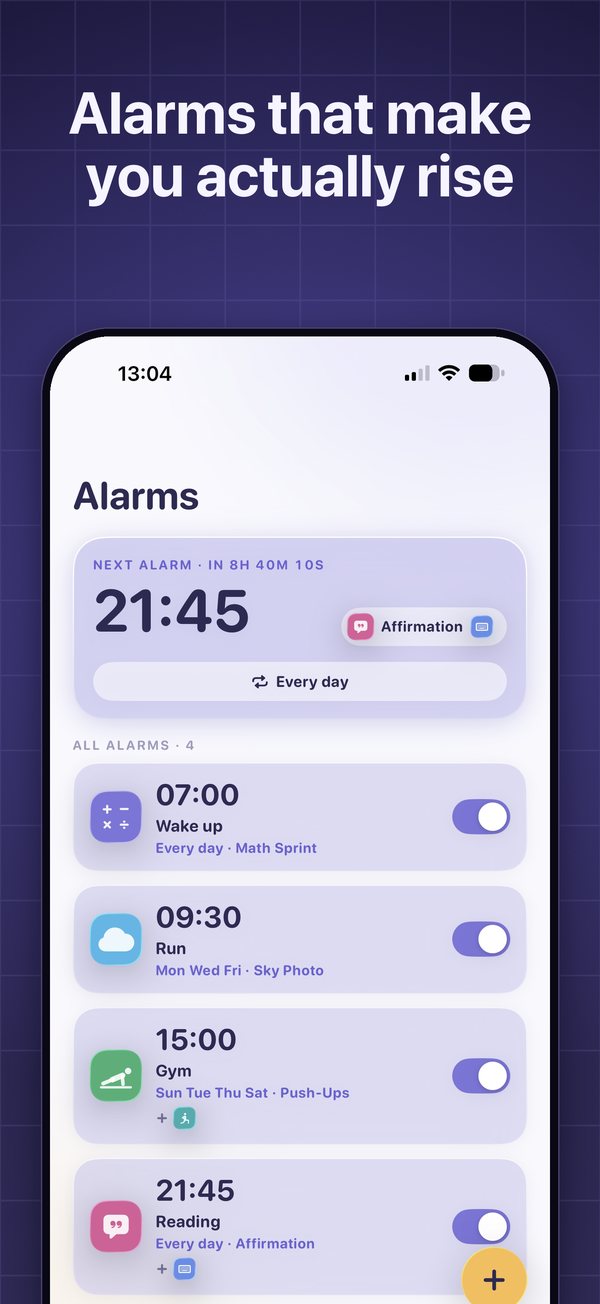
Weky has ten wake-up missions: Math Sprint, a typing challenge, push-ups and squats counted by the camera, an object hunt, a photo of the sky, a photo of your made bed, a barcode scan, shaking the phone, and saying an affirmation out loud. You can stack several on one alarm and it only stops after the last one. There is no snooze button anywhere in the app.
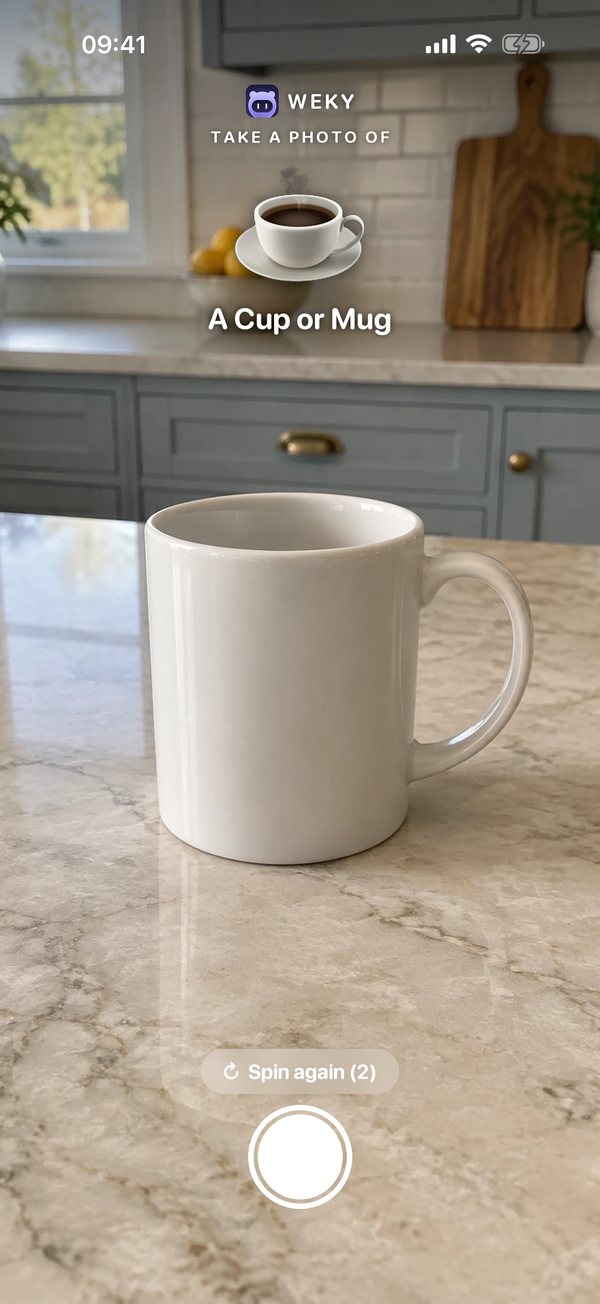
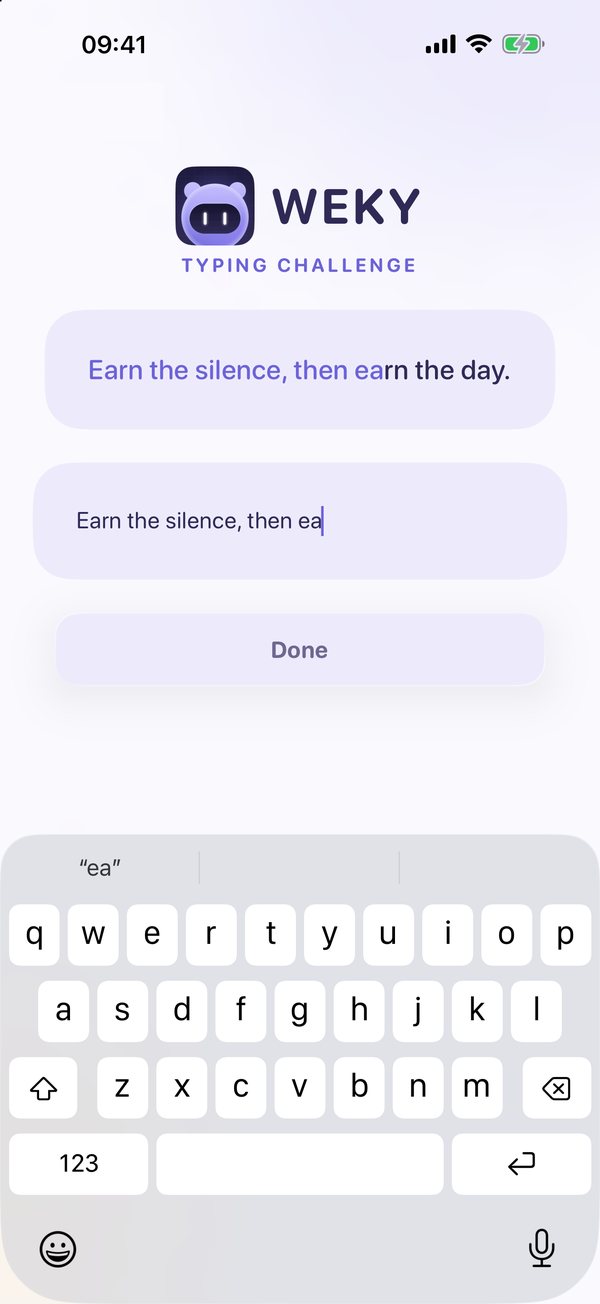
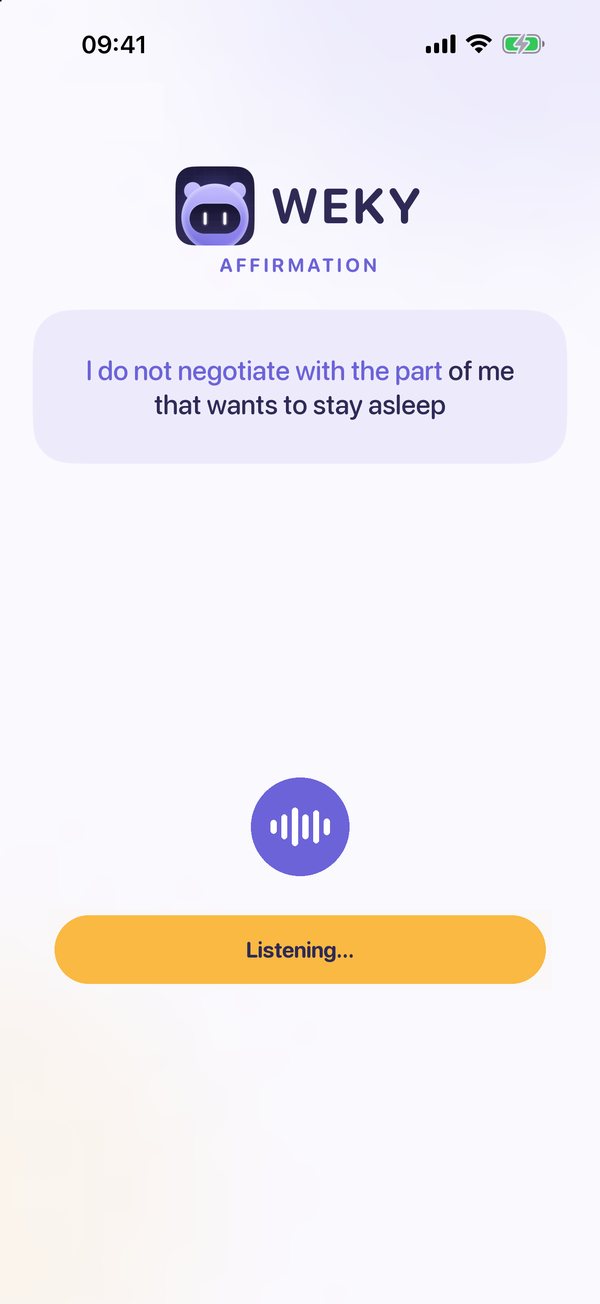
What Weky adds for you:
- App blocking per alarm. Pick the apps you scroll in bed and a start time. They stay locked until that alarm's morning mission is done.
- Wake-up check included. About ten minutes after you finish (you can change the delay), it rings again — with the same mission or a random one, so you can't set up for it the night before.
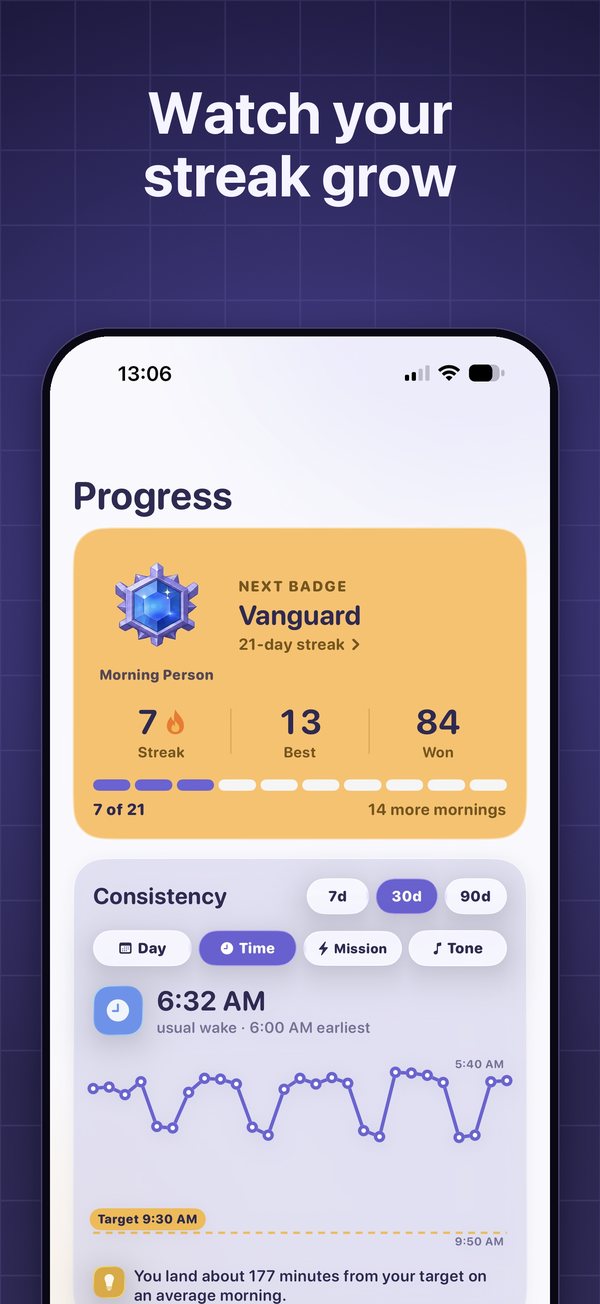
- Habit tracker. Gym, running, reading or study each get their own alarm, colour and 90-day calendar. A day only counts when its mission is done.
- Streaks with teeth. Miss a morning and the streak goes to zero. No freezes, no repairs.
- No ads, ever, and mission photos stay on your phone.
Who it fits: iPhone and iPad users who like mission alarms and want app blocking, habits and no ads in one app.
Trade-off: iPhone and iPad only, and alarms need Weky Pro — $2.99/month, $19.99/year with a 7-day free trial, or $39.99 once.
2. Sleep Cycle — the smart alarm for people who wake up groggy
Sleep Cycle listens to your night with the microphone (or uses the accelerometer) and wakes you during a light sleep phase within a wake-up window you choose. Its sleep analysis is excellent. It is one of the best sleep trackers on iPhone, with snore detection and long-term trends. It has no missions and its alarm can be snoozed. If you wake up fine but feel grogginess, it's a great choice. See Weky vs Sleep Cycle for the full comparison.
3. RISE — for people who are tired all day
RISE tracks your sleep debt and maps your energy across the day from your circadian rhythm. It has a smart alarm and habit reminders, not wake-up missions. Choose it if your problem is energy, not oversleeping.
4. Kiwake — the no-snooze original
Kiwake's routine — photograph an object away from bed, play a brain game, read your goals — predates most mission alarms. Its App Store listing shows the last update in 2021 and it isn't available for iPad, which is worth weighing on a phone you'll update for years.
5. Galarm — for shared alarms and reminders
Galarm is a social alarm and reminder app: group alarms, alarms for a buddy, flexible repeats. It's useful for planning, not for waking a heavy sleeper — there are no missions and you can snooze freely.
6. Alarm Clock for Me — a bedside clock with math and shake
A feature-rich clock with music alarms, a sleep timer and weather, plus the option to shake or solve a math problem to dismiss. The free version has ads and big snooze buttons.
7. The iPhone Clock app — free and reliable
The native iPhone alarm is free, dependable and rings through silent mode — the actual alarm every other phone alarm is measured against. If you already get up on the first ring, you don't need anything else. If you don't, one tap to stop is the problem.
Reliability: does the alarm ring every time?
An alarm only has one job, so this matters more than any feature list. Weky schedules a real system alarm. It doesn't need to stay open or run in the background: it rings on the lock screen at the time you set, even if you force-quit the app, restart your phone or have Silent mode, Sleep, Work or any other Focus turned on. Because nothing runs in the background, it doesn't drain your battery overnight, and there's no "keep the app open" warning or banner sitting in your Dynamic Island. Tap the alarm and your mission opens.
What users say in Alarmy's App Store reviews
Alarmy has hundreds of thousands of ratings and many happy users, so read this as context rather than a verdict. Still, recent one- and two-star reviews on the US App Store (September 2026) repeat a few themes worth knowing before you choose:
- Alarms not going off — or ringing at the wrong time — on mornings that mattered.
- Battery drain from the app running in the background.
- Persistent banners and notifications — a "priority notification" and an empty Dynamic Island that appear when the app is closed, and alerts that the alarm may not work unless the app stays open.
- More ads and pop-ups in recent versions.
- A slow interface when setting or editing alarms.
Every app gets complaints, and your experience may differ — but reliability is exactly why we designed Weky around a real system alarm. You can read the reviews yourself on Alarmy's App Store page.
Weky vs Alarmy: the full feature comparison
| Feature | Weky | Alarmy |
|---|---|---|
| Missions | Math, typing, push-ups, squats, object hunt, sky photo, made-bed photo, barcode, shake, affirmation | Photo, math, shake, squats, memory, typing, QR/barcode and more |
| Several missions on one alarm | ✓ | ✓ |
| Wake-up check | Included, same or random mission | Premium |
| Runs in the background | No — system alarm, no battery drain | Reviews report background running |
| Rings in Silent, Sleep and Focus modes | ✓ | Not stated |
| System alarm on the lock screen | ✓ rings even if the app is force-quit | Not stated |
| Can't be deleted while ringing | ✓ | Power-off prevention |
| App blocking | ✓ per alarm | – |
| Habit tracker | ✓ 90-day calendar per habit | – |
| Morning history | Every wake-up, weakest weekday | Sleep report |
| Sleep tracking | From Apple Health | Built in, snore detection |
| Gentle wake mode | Gentle tones | ✓ |
| Ads | None | Free tier |
| Platforms | iPhone, iPad | iPhone, iPad, Android |
| Price | $2.99/mo · $19.99/yr (7-day trial) · $39.99 lifetime | Free tier; premium plans listed up to $69.99 |
When Alarmy may be the better fit (iPhone or Android)
The best alarm is the one that gets you up. Alarmy may suit you better if:
- you use Android, or switch between Android and iPhone;
- the free tier gets you up and the ads don't bother you;
- you rely on its snore detection or sleep sounds every night;
- you love a specific mission, like memory tiles, that other apps don't have.
How to set up Weky
- Pick a mission that suits you. Register a product for the barcode scan, or try Object Hunt or the sky photo.
- Preview it once. Weky lets you try every mission before you choose, so the first real morning isn't a surprise.
- Add a second mission if one ever became automatic.
- Turn on the wake-up check and pick the apps to block from bedtime.
- Keep a backup alarm for the first week until you trust your new setup.
What to check before you trust any alarm app
Whatever you choose, test these three things before relying on it for a flight or an exam:
- Does it ring if you force-quit the app? On iOS 26 and later, an iPhone app can schedule a real system alarm that rings like the iPhone's own. Older designs depend on a notification or the app staying open, and that alarm may not ring.
- Does it ring on silent and in Focus? Set a test alarm two minutes ahead with the ring switch off.
- Can you dismiss it from the lock screen without the mission? If you can, so can the half-asleep you.
And if you still sleep through everything, the problem may not be the alarm. Our guide to why you sleep through your alarm covers sleep inertia, short sleep and when to see a doctor. For more options beyond Alarmy, see the best alarm apps for heavy sleepers and the best alarm apps for iPhone.
Frequently asked questions
Is there a free Alarmy?
Yes. Alarmy is free to download with a free, ad-supported tier that includes the basic alarm and a limited set of missions. Features such as the wake-up check need a premium subscription.
Is Alarmy worth paying for?
If Alarmy's missions already get you out of bed, paying to remove ads and unlock the wake-up check is reasonable. If what you're missing is app blocking, habit tracking or stacking missions with no ads at all, an alternative like Weky may fit better for a similar or lower yearly price.
What is the best Alarmy alternative for iPhone?
For heavy sleepers on iPhone, Weky is a strong option: ten wake-up missions, stacking, no snooze, a wake-up check, plus app blocking and a habit tracker, with no ads. For gentle, data-driven waking, Sleep Cycle is the better fit.
Do Alarmy alternatives require a subscription?
Most do for their full feature set. Weky needs Weky Pro to set alarms: $2.99 a month, $19.99 a year with a 7-day free trial, or $39.99 once with no renewals.
Can third-party alarm apps ring when an iPhone is on silent?
On iOS 26 and later, third-party apps can schedule real system alarms that ring on the lock screen like the built-in Clock. Weky schedules a system alarm, so it keeps ringing even if you force-quit the app. Older apps that rely on notifications or audio tricks are less reliable.
Can an alarm app make you complete a task before turning it off?
Yes — that is what a mission alarm does. Weky's ten missions include math, typing, push-ups, squats, a barcode scan and photos of the sky, your made bed or a random object.
References
- Alarmy — Loud Alarm Clock, US App Store listing, checked October 2026.
- Sleep Cycle, US App Store listing, checked October 2026.
- RISE: Sleep Tracker, US App Store listing, checked October 2026.
- Kiwake: smart alarm clock, US App Store listing, checked October 2026.
- Galarm — Alarms and Reminders, US App Store listing, checked October 2026.
- Alarm Clock for Me, US App Store listing, checked October 2026.
- Opal: Screen Time Control, US App Store listing, checked October 2026.
- Hilditch CJ, McHill AW. Sleep inertia: current insights. Nature and Science of Sleep, 2019;11:155–165.