A push-up alarm app only turns off after you do push-ups (or squats) in front of your phone's camera, which counts each rep. On iPhone, Weky has camera-counted push-up and squat missions you can combine with math or a photo, Pushy is a dedicated push-up alarm, and Alarmy offers a squat mission. Exercise works where a louder alarm doesn't: it raises your heart rate and gets you out of bed, so going back to sleep stops being an option.
Most alarms ask you to tap a button, and it's easy to hit snooze. A push-ups alarm asks you to get on the floor. If you're tired of oversleeping, it's a small daily pushup challenge with a big payoff. That's the whole trick — and it's surprisingly hard to argue with at 6:30 a.m., because the argument ("five more minutes") happens in bed, and the alarm doesn't stop until you're out of it.
Key takeaways
- A push-up alarm stops only after camera-counted reps — no button, no fake taps, no snoozing from bed.
- Exercise fights grogginess. Moving raises your heart rate and alertness faster than lying there listening to a ringtone.
- You don't need to be fit. Knee push-ups, squats or a low goal work fine.
- Privacy matters: choose an app that counts reps on your phone and doesn't upload the camera feed.
- Combine it with a math or photo mission and a wake-up check for heavy sleepers.
How does a push ups alarm app count your reps?
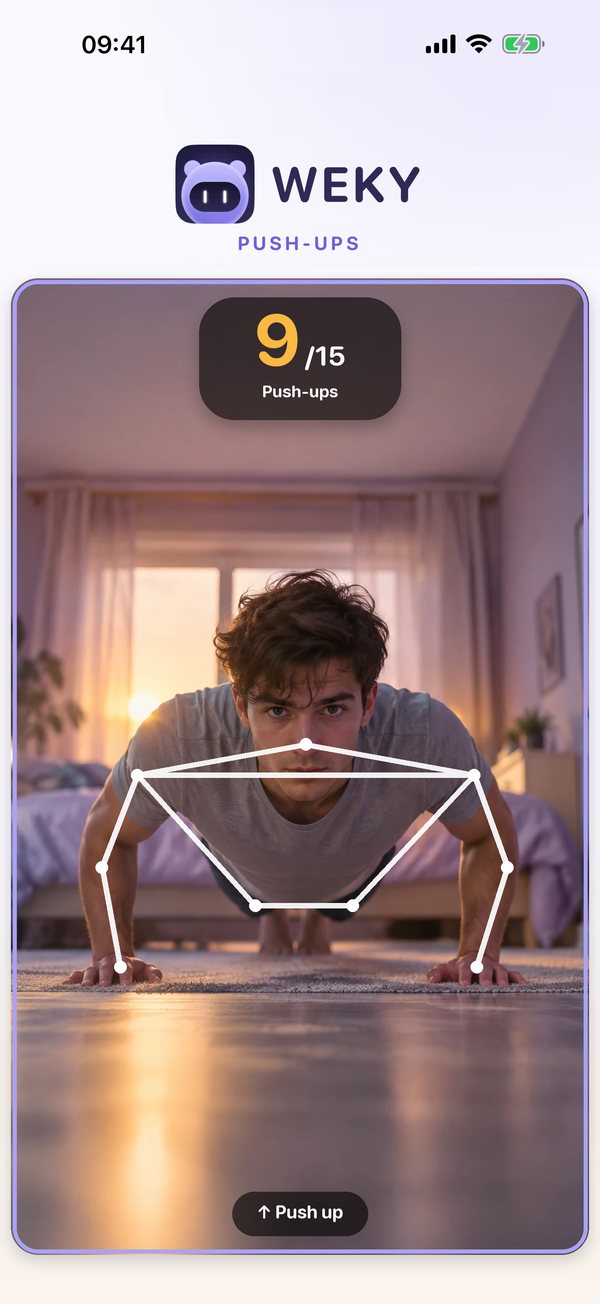
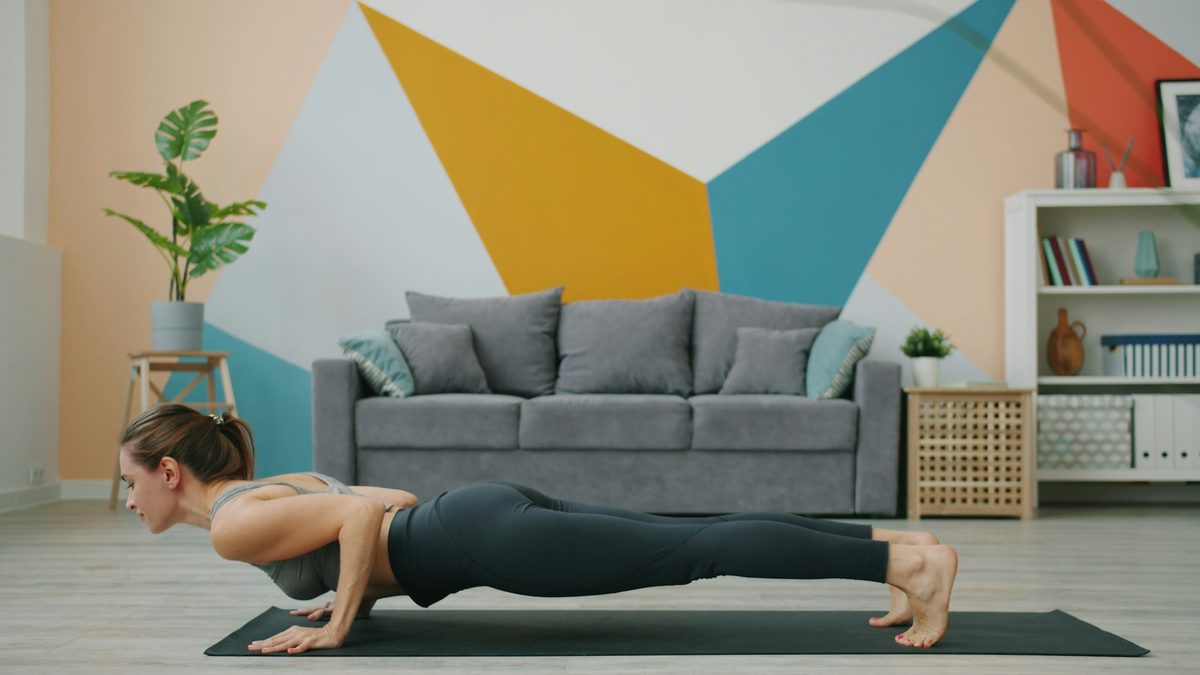
When the alarm rings, you tap it on the lock screen and the app opens the front camera. You put the phone on the floor, step back so it can see you, and start. The app tracks your shoulders and arms and counts a rep each time you lower and push back up. A counter shows your progress — 9 of 15, say — and when you hit your rep target, the alarm stops. Finish your reps or it keeps ringing. Rep detection happens on the phone, so it works offline and needs no account.
No reps, no silence. You can't tap your way out — no fake taps, no way to cheat from bed: the camera needs to see your upper body going down and up for each rep. It's the same idea as putting your phone across the room, except the alarm won't stop when you get there.
Why a pushup workout wakes you up better than a loud alarm
The fog right after waking — sleep inertia — is why alarms lose. Your judgment is at its worst exactly when the snooze button is closest. A louder alarm doesn't change that; your brain gets used to loud sounds, and you still get to decide in bed.
Exercise changes the situation physically. You're upright and moving, your heart rate rises, blood flow increases, and heart rate and alertness climb together within a minute or two. A short set of push-ups is the fastest fitness routine there is. Physical activity is one of the countermeasures sleep researchers discuss for shaking off sleep inertia, and regular activity is also linked to better sleep at night. And there's a simple behavioural truth: almost nobody finishes a set of push-ups and gets back under the duvet.
Pushup alarm apps for iPhone compared: reps, stats and privacy
| App | Exercises | Other missions | No snooze | Wake-up check | App blocking | Streaks |
|---|---|---|---|---|---|---|
| Weky | Push-ups, squats (reps or time) | Math, typing, photos, barcode, shake, affirmation | ✓ | ✓ | ✓ | ✓ |
| Pushy | Push-ups, knee push-ups, sit-ups | Morning quiz | ✓ | – | – | ✓ |
| Alarmy | Squats | Photo, math, shake, typing, QR/barcode and more | ✓ | Premium | – | – |
Weky — push-ups and squats, plus everything around them
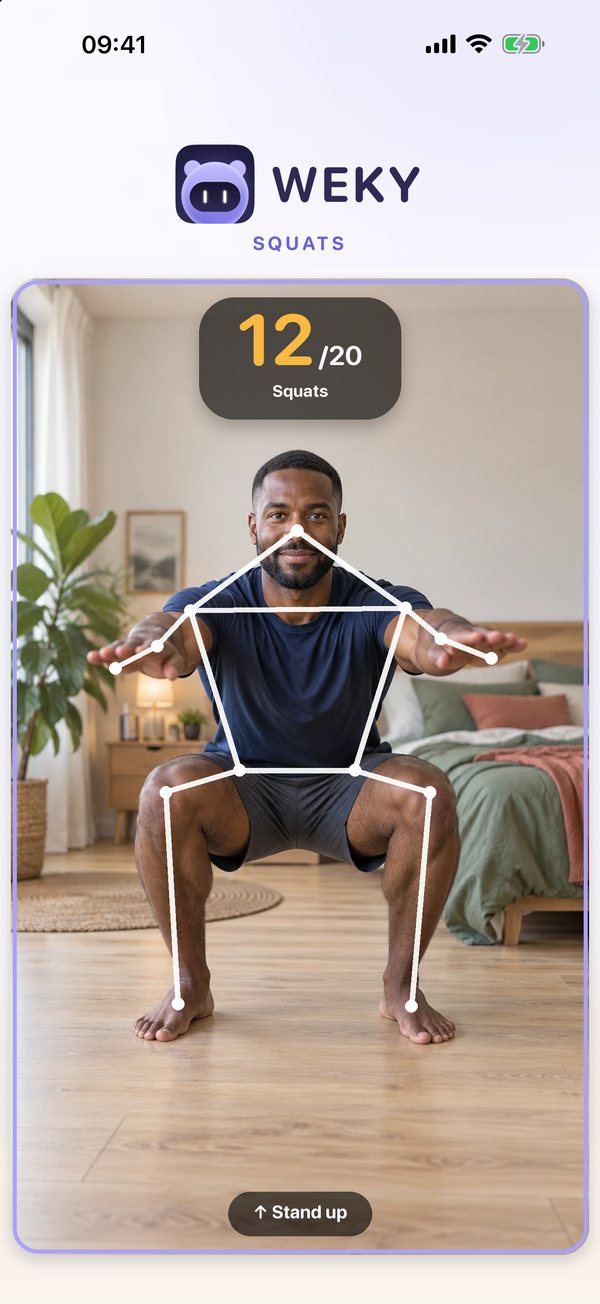
Weky has two exercise missions, push-ups and squats, both counted on camera. You set the goal as a number of reps or a time, and the camera feed is analysed on your phone — nothing is recorded or uploaded. Because Weky lets you stack missions, a common setup is push-ups first to get your blood moving, then a barcode scan in the bathroom so you end up out of the bedroom.
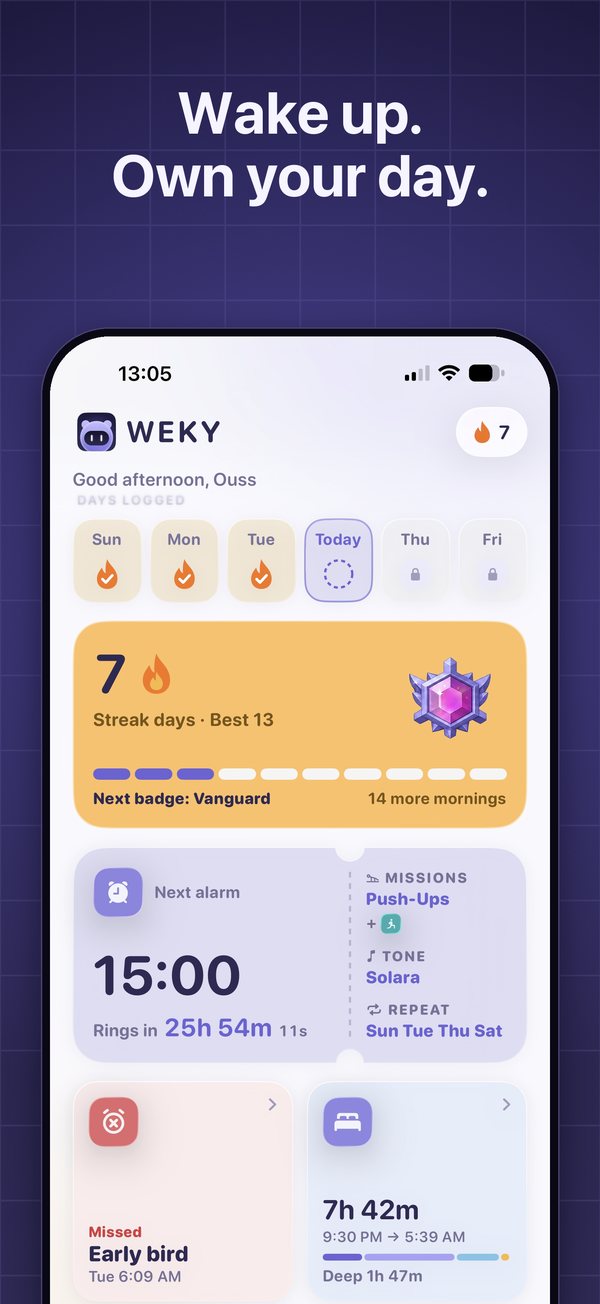
Around the workout: no snooze button, a wake-up check that rings again about ten minutes later, app blocking from bedtime until your mission is done, a habit tracker for your morning workout with a 90-day calendar, and a strict streak that resets if you miss a day.
And it rings every time. Weky schedules a real system alarm, so it rings on the lock screen in Silent mode, Sleep, Work or any Focus — even after a force-quit or a restart — without running in the background or draining your battery.
Pushy — the dedicated push-up alarm
Pushy does one thing well: camera-counted push-ups (or knee push-ups and sit-ups) to stop the alarm, with stats, streaks, personal bests and leaderboards. If a push-up habit is your main goal and you don't need other missions, it's a focused choice.
Alarmy — squats as one of many missions
Alarmy offers a squat mission alongside its photo, math and barcode missions. It doesn't have push-ups, and the wake-up check is a premium feature. See our Alarmy alternatives guide.
How to set up a push-up alarm (even if you can't do one pushup yet)
- Pick a realistic goal. Ten reps, or fifteen seconds. You can raise it later.
- Start with squats if push-ups are hard — or do knee push-ups. Sit ups aren't counted in Weky, but squats work your legs with no strain on your wrists.
- Find your spot. Somewhere the phone can sit on the floor and see your whole upper body, ideally not right beside the bed.
- Preview the mission once to check the camera angle and the lighting. Weky lets you try every mission before choosing it.
- Add a second mission that ends elsewhere, like the barcode scan or a photo of the sky.
- Turn on the wake-up check if you've ever gone back to bed after a workout.
Turn the morning pushups into a fitness habit you track
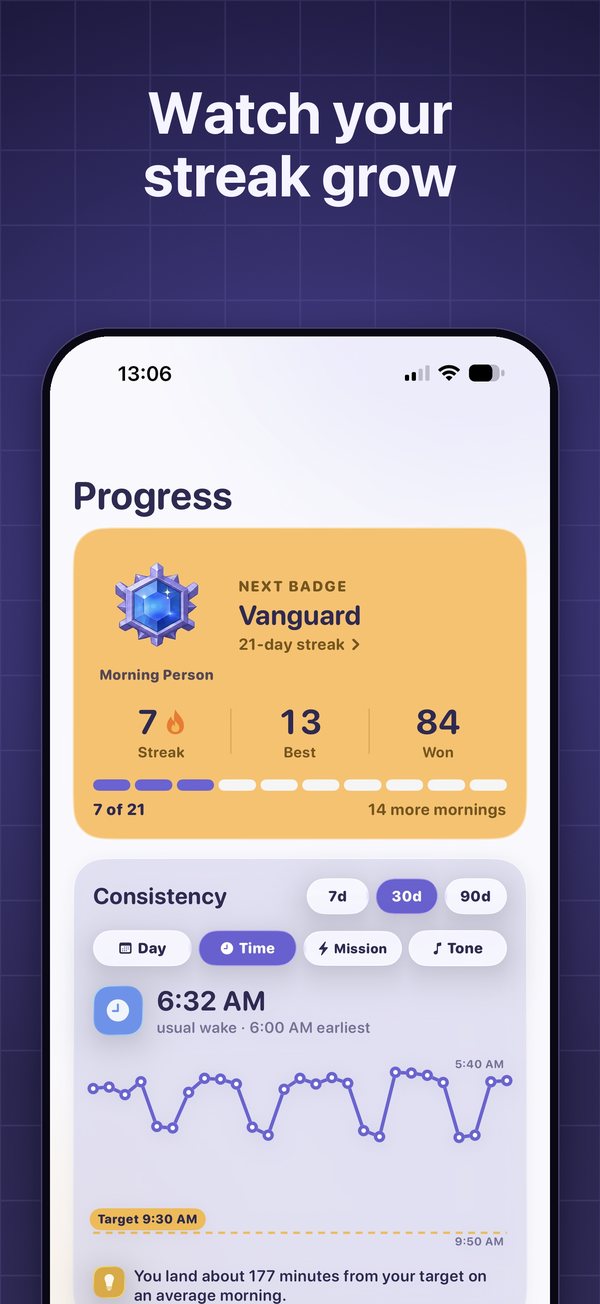
A push-up alarm is a sneaky fitness plan: fifteen reps a day is over 5,000 push-ups a year without ever "working out". Tracking makes it stick. In Weky, a workout habit gets its own alarm, colour and 90-day calendar, and a day only counts when the mission is done — so the record can't be faked. Your streak, stats and every won morning sit on the progress screen, so you can track it like any gym habit. It's discipline you don't have to summon — the alarm supplies it — and the productivity of an early start comes with it.
Is a push-up alarm a good idea for heavy sleepers?
Yes — it's one of the strongest options, because it doesn't depend on hearing or volume, only on doing. If you've beaten every alarm you own, combine push-ups with a math mission and a wake-up check. For the full picture, see the best alarm apps for heavy sleepers, and if you're tired despite all this, read why you sleep through your alarm.
Check with a doctor before starting any exercise routine if you have heart, joint or back problems, or are pregnant. Stop if anything hurts.
Frequently asked questions
What is the alarm app that makes you do push-ups?
Several iPhone apps do this. Weky has push-up and squat missions counted by the camera, alongside eight other missions. Pushy is a dedicated push-up alarm. Alarmy has a squat mission.
Is there an app that makes you do push-ups to turn off an alarm for free?
Some push-up alarms are free to download with limited features or ads. Weky is free to download, but setting alarms needs Weky Pro ($2.99 a month, $19.99 a year with a 7-day free trial, or $39.99 once).
How does a push-up alarm count reps?
You prop the phone on the floor facing you. The camera tracks your body and counts a rep each time you go down and come back up. In Weky, the camera feed is analysed on your phone and nothing is recorded or uploaded.
I can't do a single push-up — can I still use a push-up alarm?
Yes. Start with knee push-ups or switch to the squat mission, and set a low goal — even three reps or fifteen seconds. The point is to get your heart rate up and your body out of bed, not to train.
Is 20 push-ups in 1 minute good?
For most adults, 20 good-form push-ups in a minute is a solid level of fitness. For a wake-up mission, you don't need anywhere near that — 10 to 15 reps is enough to wake you up.
Is a push-up alarm safe?
For most healthy people, a few push-ups or squats are safe. Warm up gently, stop if anything hurts, and talk to a doctor first if you have heart, joint or back problems or are pregnant.
References
- Hilditch CJ, McHill AW. Sleep inertia: current insights. Nature and Science of Sleep, 2019;11:155–165.
- Kredlow MA, Capozzoli MC, Hearon BA, et al. The effects of physical activity on sleep: a meta-analytic review. Journal of Behavioral Medicine, 2015;38(3):427–449.
- Tassi P, Muzet A. Sleep inertia. Sleep Medicine Reviews, 2000;4(4):341–353.
- Pushy — Push Ups Alarm, US App Store listing, checked October 2026.
- Alarmy, US App Store listing, checked October 2026.