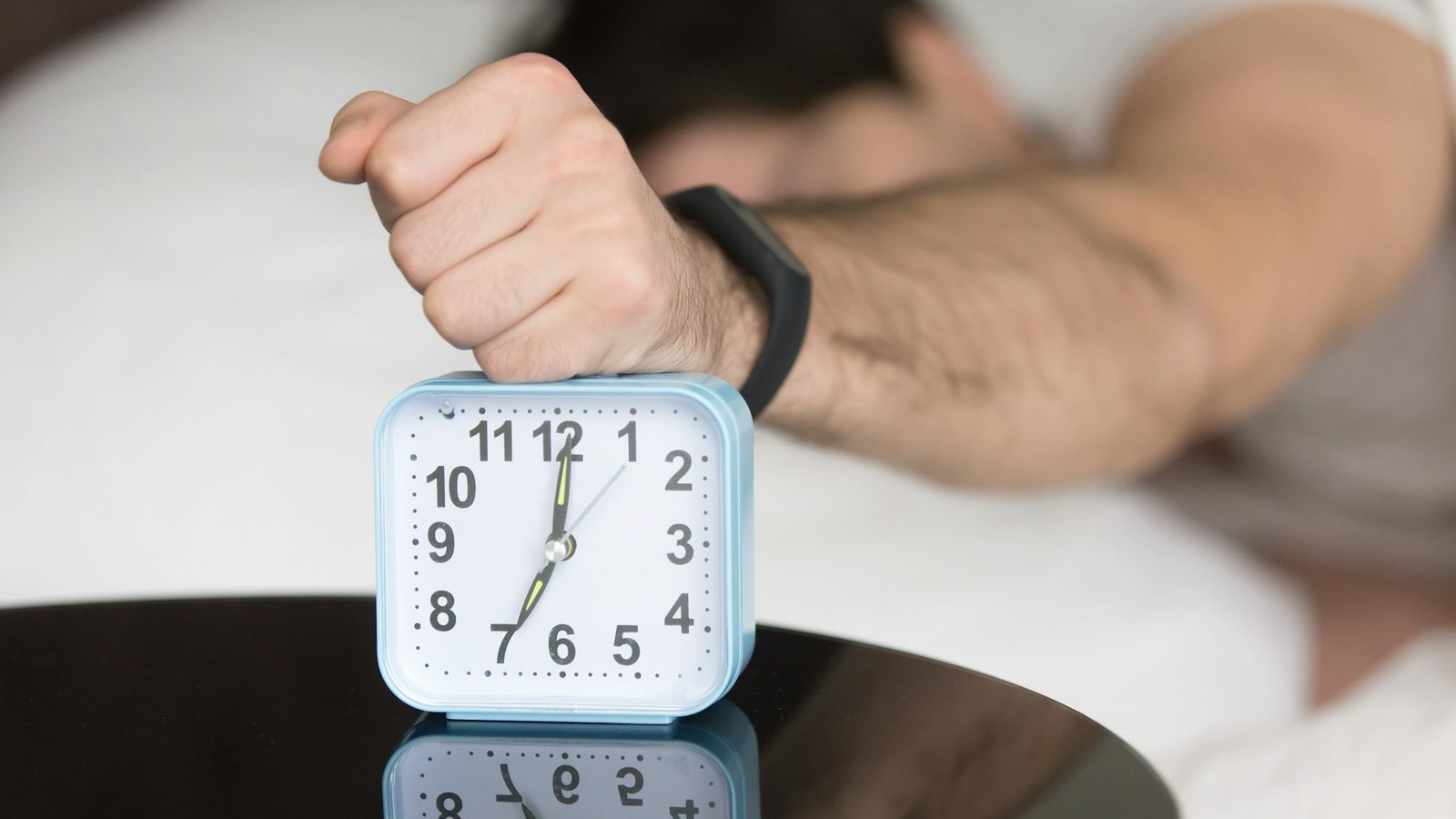
A math alarm clock app won't turn off the alarm until you solve math problems — usually two to five equations of simple arithmetic. It works because the grogginess after waking (sleep inertia) makes even easy math hard, so by the time you've solved them your brain is genuinely online. Its one weakness: you can do math lying down. The best setups pair a math mission with one that gets you out of bed, plus no snooze.
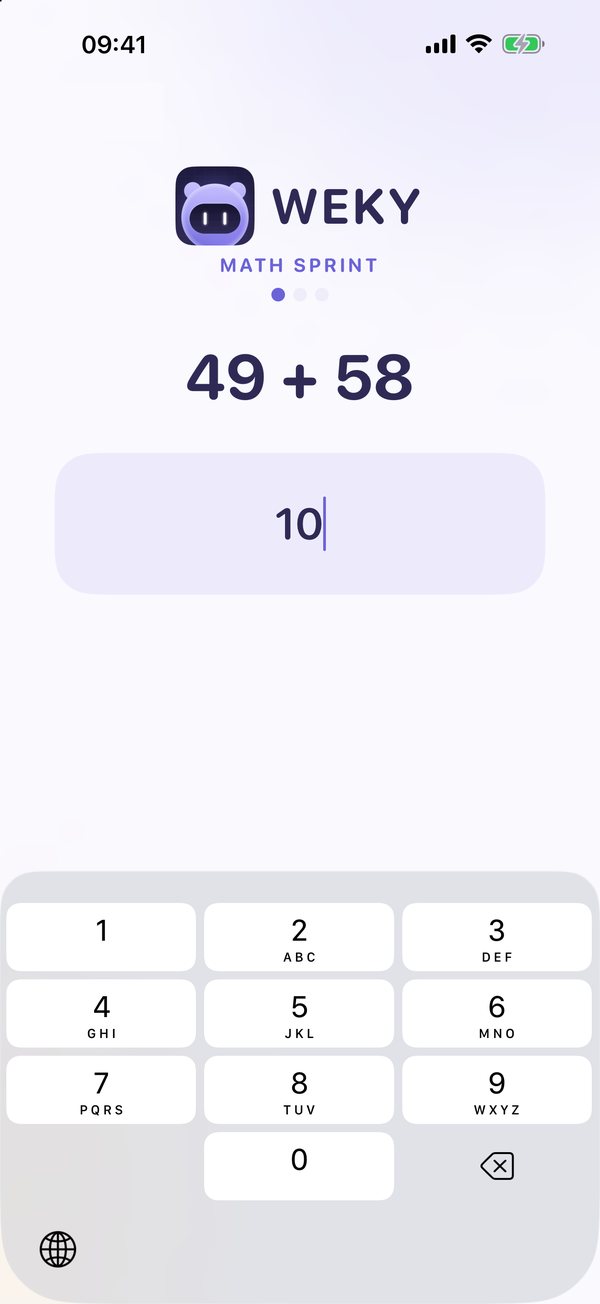
If you have problems waking, try it at 6:30 a.m.: 49 + 58. You know the answer. Your sleepy brain doesn't — not right away. That small delay is the whole point. A math alarm turns "tap to stop" into a few seconds of real thinking — you have to solve a math problem to turn off your alarm — and thinking is the opposite of trying to go back to sleep. It's an annoying alarm by design, and one of the simplest wake up alarm ideas that actually works.
Key takeaways
- Math alarms exploit sleep inertia. Thinking right after waking can be worse than after a night without sleep, so a few equations force your brain to boot.
- Typing the answer beats multiple choice. Multiple choice can be tapped through half-asleep.
- Wrong answers should change the problem so you can't brute-force it.
- Math alone can be solved in bed. Pair it with a barcode, photo or push-up mission for heavy sleepers.
- Remove snooze — a math alarm with a snooze button is just a slower snooze.
How does a math alarm clock work?
When the alarm rings, you open it and see math equations instead of a stop button. You have to solve math equations — usually simple math questions — before it will turn off. You type the answer. Get it right and the next one appears; finish the set and the alarm stops. Get it wrong and you get a new problem. The alarm keeps ringing the whole time, so there's no quiet moment to fall asleep in.
The details matter more than you'd think:
- Typed answers vs multiple choice. Picking one of four options is easy to do on autopilot. Typing a number on the keypad needs you to actually work it out.
- How many problems. One is too easy to sleep through. Three to five is the sweet spot.
- What happens on a wrong answer. If the same problem stays, you can guess your way through. If it changes, you have to think.
- Difficulty levels (customizable). Hard calculus at 6 a.m. isn't the goal — you want arithmetic that's easy awake and hard asleep.
Why math problems wake you up (the science)
The groggy state after waking is called sleep inertia, and it's not a figure of speech. In a 2006 study published in JAMA, people's performance on arithmetic tasks in the first minutes after waking was as impaired as — or worse than — after staying awake all night. The effect fades over the next 15 to 60 minutes.
That's the sleepy brain a regular alarm asks to make a decision. A math alarm turns the tables: instead of a decision your foggy brain can make badly ("five more minutes"), it asks for work your foggy brain can only do by waking up. You can't solve 84 − 27 and stay asleep.

The one weakness of math alarms: you can solve a math problem in bed
Here's what the reviews don't tell you: after a few weeks, some people get very good at morning math. They solve three equations with one eye open, lie back down, and are asleep again in two minutes. Math wakes your brain; it doesn't move your body, so it won't get you out of bed on its own. Heavy sleepers who oversleep need more than a loud alarm or a harder sum.
Two fixes work:
- Stack a mission that makes you stand. Math first to boot the brain, then a barcode scan in the bathroom, a photo of the sky or your made bed, or push-ups.
- Add a wake-up check. A second ring ten minutes later catches anyone who went back to bed.
Weky's Math Sprint
Math Sprint is one of ten wake-up missions in Weky. It asks for three equations by default — two-digit addition and subtraction, and times tables — and you can set how many it needs. You type each answer on the number pad. A wrong answer doesn't reset your progress, but it swaps in a different problem, so you can't brute-force the same one.
What makes it an alarm clock for heavy sleepers is everything around the math:
- Stack missions: Math Sprint, then a barcode scan, then a photo — the alarm only stops after the last one.
- No snooze button, anywhere, and alarm sounds from gentle wake tones to a loud alarm clock.
- Wake-up check: about ten minutes later it rings again, with the same mission or a random one.
- A real system alarm that rings on the lock screen even if you force-quit the app.
- App blocking from bedtime until your morning mission is done, so late-night scrolling doesn't set you up to fail.
And it rings every time. Weky schedules a real system alarm, so it rings on the lock screen in Silent mode, Sleep, Work or any Focus — even after a force-quit or a restart — without running in the background or draining your battery.
The best math alarm clock apps for iPhone: snooze, missions and ads
| App | Math style | Other missions | Snooze | Wake-up check | Ads |
|---|---|---|---|---|---|
| Weky | Typed answers, wrong answer swaps the problem | 9 more, stackable | None | ✓ | None |
| Mathe Alarm Clock | Multiple choice, wrong answers add problems | Morning routine checklist, bedtime reminders | Optional 10-second | – | Yes; $14.99 to remove |
| Alarmy | Math mission with difficulty settings | Photo, shake, squats, typing, QR/barcode and more | Configurable | Premium | Free tier |
| Alarm Clock for Me | Solve a problem to dismiss | Shake | Yes | – | Free tier |
Mathe Alarm Clock — the focused math puzzle alarm
Mathe is a long-running, math-first alarm clock app: multiple-choice questions that keep coming until you get them right, lockable alarms, a morning routine checklist and a bedtime reminder. If math alone reliably gets you up and you want nothing else — plus ringtones from your favorite music and a bedside clock — it's a solid, dedicated choice. Multiple choice is easier to tap through half-awake, and it has no out-of-bed missions.
Alarmy — math as one mission among many
Alarmy's math mission is one of a large set, alongside photo, squats and barcode missions. The free tier has ads and the wake-up check is premium. See our Alarmy alternatives guide for a full comparison.
Weky — math first, then out of bed
Weky is built around stacking: math to wake your brain, a mission to move your body, a wake-up check to keep you up. If math has stopped working for you on its own, this is the setup that fixes it.
How to set up a math alarm that works (and keeps your app privacy)
- Pick three to five problems — enough to need real focus, not so many you're late.
- Turn snooze off, or use an alarm without one.
- Add a second mission that ends somewhere else — the barcode on your toothpaste is a classic.
- Turn on the wake-up check for heavy-sleeper mornings.
- Preview the mission once so the first real morning isn't a surprise.
- Check the app's privacy details on its App Store page. Weky's math mission needs no permissions at all; see our privacy policy for what the camera missions do and don't keep.
Whether you want to wake up early for the gym or just stop being late, the best alarm clock is the one you can't argue with until you're fully awake. And if you find yourself solving equations and still oversleeping, the issue may be sleep itself: here's why you sleep through your alarm, and the full list of the best alarm apps for heavy sleepers.
Frequently asked questions
Is there an alarm clock that makes you solve math problems?
Yes. Math alarm clock apps won't turn off the alarm until you solve one or more math problems. On iPhone, Weky's Math Sprint, Alarmy's math mission and Mathe Alarm Clock all do this.
What is the best math puzzle alarm app for iPhone?
If math alone gets you up, Mathe Alarm Clock is a focused, long-running option. If you want math plus missions that get you out of bed — a barcode scan, a photo, push-ups — with no snooze and a wake-up check, Weky is the better fit.
Are math alarm clocks effective for heavy sleepers?
They're effective at waking your brain, because sleep inertia makes even simple arithmetic hard. Heavy sleepers can still solve the problems in bed and fall back asleep, so pair math with a mission that makes you stand up, or use a wake-up check.
Can you customize a math alarm clock?
Most apps let you choose how many problems to solve, and some let you choose difficulty. In Weky you set how many equations Math Sprint asks for; a wrong answer swaps in a new problem without resetting your progress.
Are there free math puzzle alarm clock apps?
Yes — Mathe Alarm Clock and Alarmy are free to download with ads or in-app purchases. Weky is free to download, but setting alarms needs Weky Pro ($19.99 a year with a 7-day free trial).
What are some alternatives to math alarms?
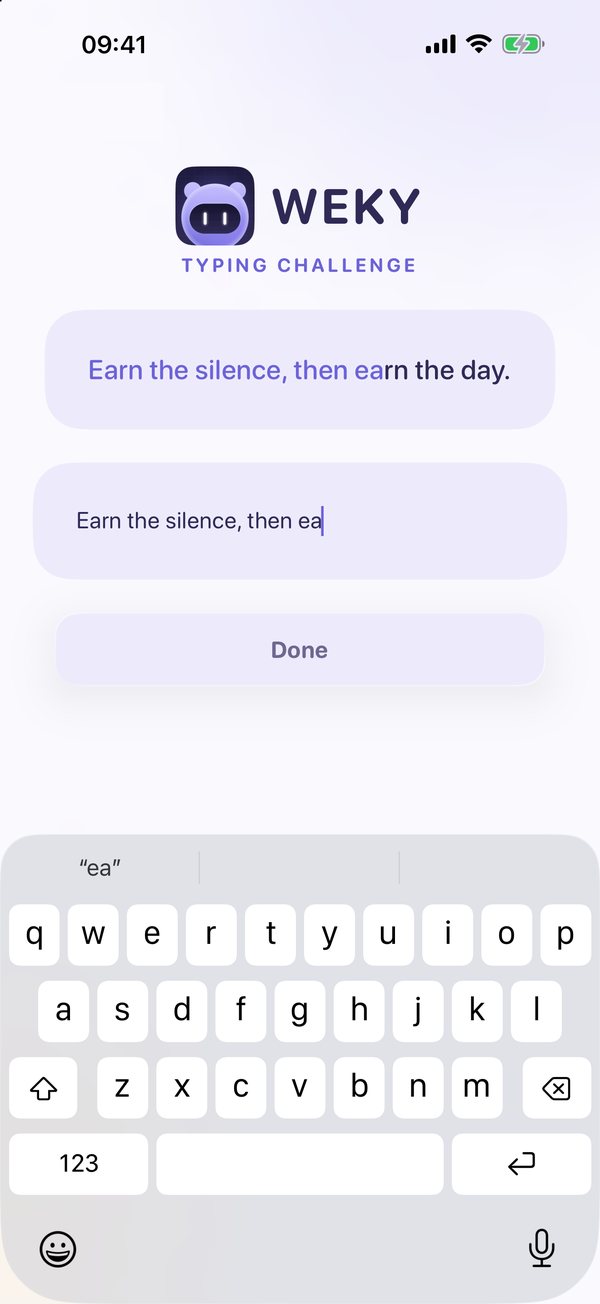
Typing a phrase exactly, photographing an object, scanning a barcode, push-ups or squats counted by the camera, shaking the phone, or saying an affirmation out loud. Weky has all of these and lets you stack them.
References
- Wertz AT, Ronda JM, Czeisler CA, Wright KP. Effects of sleep inertia on cognition. JAMA, 2006;295(2):163–164.
- Tassi P, Muzet A. Sleep inertia. Sleep Medicine Reviews, 2000;4(4):341–353.
- Hilditch CJ, McHill AW. Sleep inertia: current insights. Nature and Science of Sleep, 2019;11:155–165.
- Mathe Alarm Clock, US App Store listing, checked October 2026.
- Alarmy and Alarm Clock for Me, US App Store listings, checked October 2026.