You can't set an alarm for a specific date in the iPhone Clock app: alarms only have a time and repeat days. To get a dated wake-up, set the alarm to repeat on that one weekday (for anything in the next 7 days), add a Calendar event with an alert, set a Reminder with a date and time, or use a Shortcuts automation that creates the alarm on the day. Calendar and Reminders alerts are quiet notifications, so for a wake-up that really rings, the weekday trick or a Shortcuts-made alarm is the safer choice.
It's a strange gap. Your iPhone knows every date in your calendar, but its alarm clock only understands "7:00, weekdays". If the early morning you're dreading is a one-off (a flight, an exam, a hospital appointment, a hike), you have to work around it. Here's how, from quickest to most powerful.
Key takeaways
- Clock alarms have no date field. Only a time and repeat days.
- Within 7 days: repeat the alarm on that single weekday, then turn it off after.
- Further away: a Calendar alert, a dated Reminder or a Shortcuts automation.
- Alerts aren't alarms. Calendar and Reminders sounds follow Silent mode and Focus and stop quickly.
- Siri sets alarms by time only. For a date, ask Siri for a reminder.
Why can't you set an alarm for a future date on iPhone?
The Clock app was built for routines: the same wake-up time on the same days. When you add an alarm you choose a time, a label, a sound, snooze on or off, and which weekdays it repeats. If you pick no days, it rings the next time that clock time comes round, within 24 hours. There's no calendar picker. So "set an alarm for March 3" isn't something Clock can store.
4 ways to set an alarm for a future date on iPhone
| Method | How far ahead | Rings like an alarm? | Best for |
|---|---|---|---|
| Weekday repeat trick | Up to 7 days | Yes, a real alarm | Next Tuesday's early start |
| Calendar event alert | Any date | No, a short notification | Being reminded, not woken |
| Reminder with date and time | Any date | No, a notification | Tasks on a date ("renew passport") |
| Shortcuts automation | Any date (monthly or weekly) | Yes, it creates a real alarm | A dated wake-up further away |
1. The weekday trick (for any date in the next 7 days)
The quickest way to set an alarm for next week. Open Clock → Alarms → +, set the time, tap Repeat and select only the weekday you need, say Thursday. Add a label such as "Flight, leave 5:45" and save. The alarm will ring on Thursday at that time, even if today is Friday.
The catch: it repeats every Thursday. Turn it off (or delete it) after the day, or set a second reminder to do so.
2. A Calendar event with an alert
In Calendar, add an event on the date, for example "Exam" on 14 November at 7:00, and set Alert → At time of event. You can add a second alert (15 minutes before) as a backup. This works for any date, months ahead.
The catch: a calendar alert is a notification, not an alarm. It plays a short sound once, it's silent when your Ring/Silent switch is on, and Focus modes can hide it. Good for reminding you while you're awake; not something to trust for waking up.
3. A Reminder with a date and time
In Reminders, create a reminder, turn on Date and Time, and pick the day. Or just tell Siri: "Remind me on 14 November at 7 a.m. to leave for the exam." This is the closest thing to "set an alarm for a future date" that Siri understands.
The catch is the same as Calendar: it's a notification, quiet in Silent mode. Use it for tasks on a date, or as a night-before nudge to set your real alarm.
4. A Shortcuts automation that creates the alarm
The most powerful option, because it produces a real Clock alarm on the day. In the Shortcuts app, go to Automation → New Automation → Time of Day. Pick a time the evening before (for example 21:00), set it to repeat Monthly and choose the day of the month, then choose Run Immediately. For the action, add Create Alarm from the Clock actions, set it to the wake-up time and give it a label.
On that day at 21:00 your iPhone adds the alarm by itself, and it rings the next morning like any other alarm. The catch: Shortcuts thinks in weekly or monthly patterns, so delete the automation once the date has passed if it was a one-off.
Can Siri set an alarm for a future date, or in other apps?
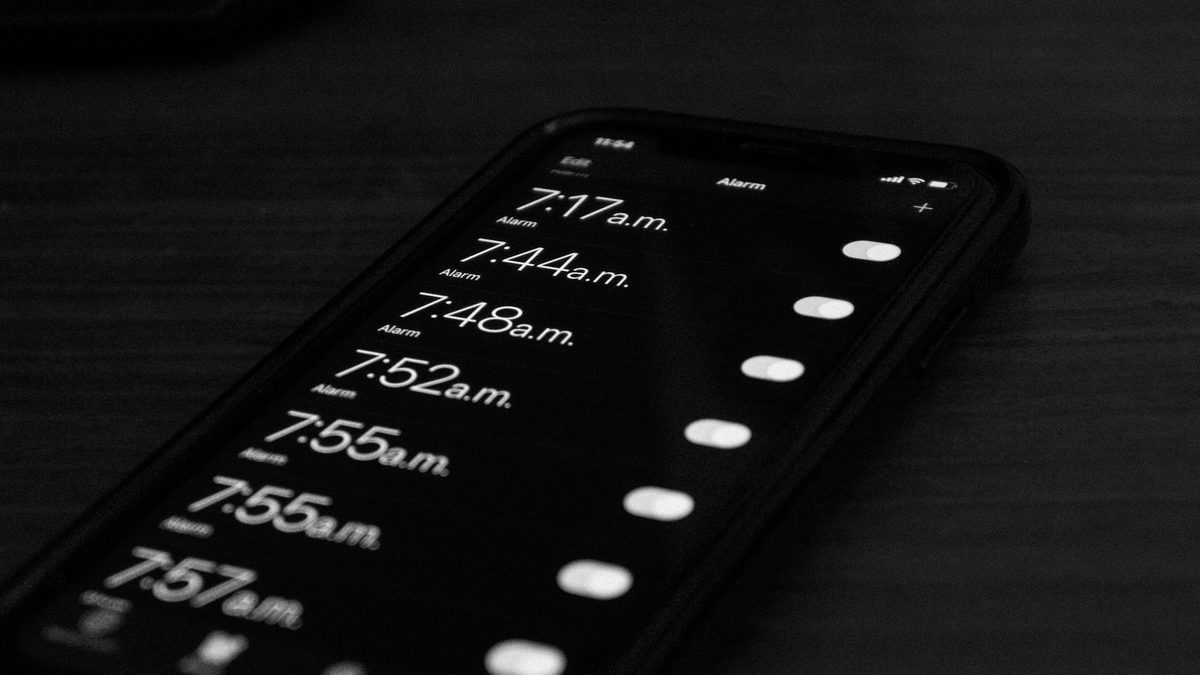
"Hey Siri, set an alarm for 6:30" works perfectly, but only for a time. Siri can't attach a date to an alarm, because Clock alarms don't have one. For a date, ask Siri for a reminder instead, as above.
Siri also sets alarms in the built-in Clock app by default. It can only set an alarm in another app if that app has added Siri support for it, and many alarm apps haven't. If you live by voice, keep that in mind when you choose an alarm app.
Is there an iPhone alarm that tells you what you have to do?
Partly built in: every Clock alarm has a Label, and the label is shown on the lock screen when it rings. "Take antibiotics", "Leave for airport", "Call mum before 9". It's worth always filling in; a labelled alarm is much harder to dismiss without thinking than one that just says "Alarm".
But a label only tells you. If the alarm is for something you tend to skip, like getting up early, taking a pill or leaving on time, it helps when the alarm makes you start the task before it stops.
Weky: an alarm with a label and a job
That's what we built Weky for. Every Weky alarm shows your label when it rings and only stops after a mission you choose. There are ten: math, typing, push-ups, squats, finding an object, a photo of the sky or your made bed, shake, an affirmation and a barcode scan. Match the mission to the task: label an alarm "Morning pills" and make the mission a barcode scan of the pill box, or label it "Gym" and make it ten squats.
- One-time or repeating alarms, like Clock, with your own label on each.
- No snooze, and a wake-up check about ten minutes later so you can't slip back to sleep.
- App blocking from a bedtime you choose until the morning mission is done.
And it rings every time. Weky schedules a real system alarm, so it rings on the lock screen in Silent mode, Sleep, Work or any Focus, even after a force-quit or a restart, without running in the background or draining your battery. That's the difference from a Calendar or Reminders alert.
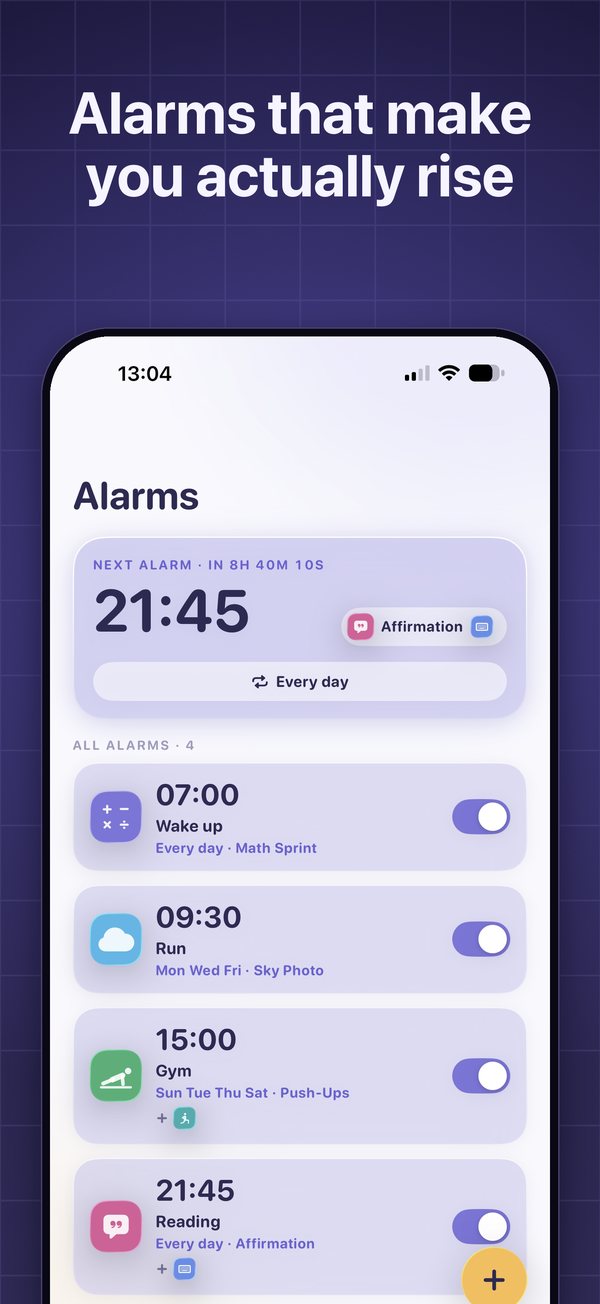
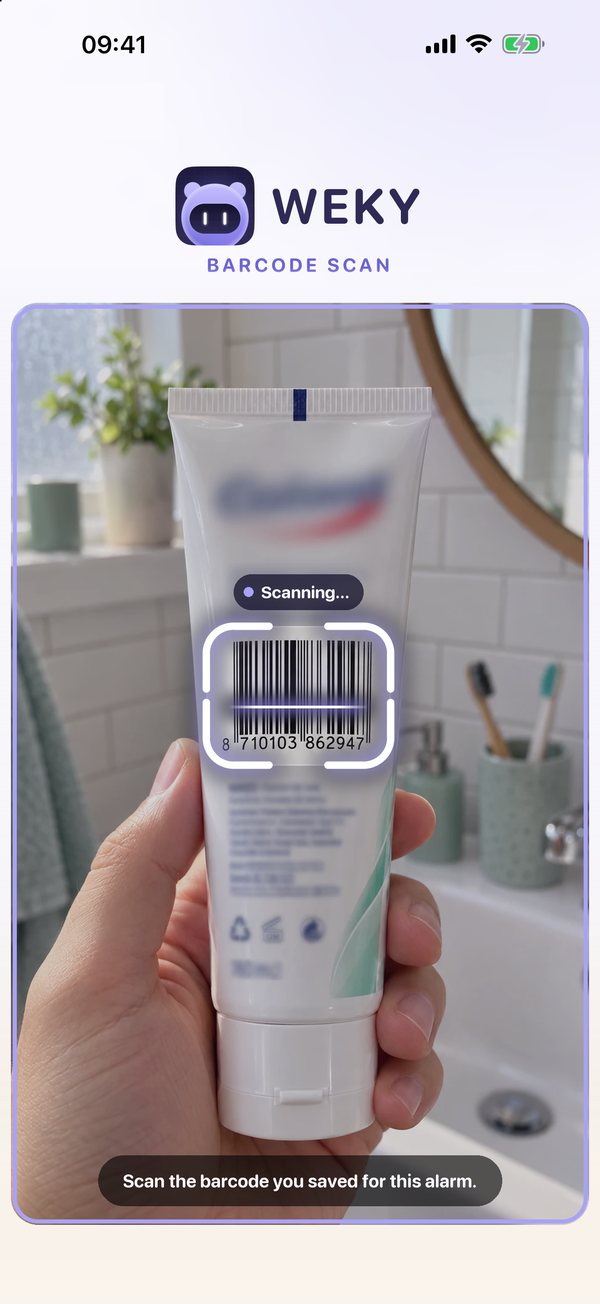
Weky schedules by time and weekday, just like Clock, so for a date weeks away combine it with the weekday trick in the week itself, or with a Reminder the evening before that tells you to switch the alarm on.
Quick checklist before an important early morning
- Set the alarm the evening before and check the day and a.m./p.m.
- Make sure Ringer and Alerts volume is up: iPhone alarms use it, not the media volume.
- Give it a label that says what's at stake.
- Put the phone across the room, and if you tend to sleep through alarms, read why you sleep through your alarm.
- If you hit snooze on big days, read how to stop hitting snooze.
Frequently asked questions
Can you set an alarm for a specific date on iPhone?
Not in the Clock app. iPhone alarms are set by time and repeat on days of the week, never on a calendar date. To get a dated wake-up, use the weekday trick for anything within the next seven days, or a Calendar event alert, a Reminder with a date, or a Shortcuts automation for dates further away.
How do I set an alarm for next week on my iPhone?
In Clock, add an alarm, tap Repeat and choose only the weekday you need, for example Thursday. It will ring that Thursday. Turn it off afterwards, or it will ring every Thursday.
Can Siri set an alarm for a future date?
Siri sets alarms by time in the Clock app, so it can't attach a date to an alarm. Ask "Remind me on 14 November at 7 a.m. to leave for the airport" instead. Siri creates a dated reminder that alerts you at that time.
Can Siri set alarms in other apps?
Only in apps that have added Siri support for alarms. By default, "Hey Siri, set an alarm" always goes to the built-in Clock app.
Will a Calendar alert wake me up like an alarm?
Not reliably. Calendar and Reminders alerts play a short notification sound, follow the Ring/Silent switch and Focus modes, and don't keep ringing. They're good as reminders; for actually waking up, use a real alarm.
Is there an alarm that tells you what you have to do?
Yes. In Clock you can add a label that shows on the lock screen when the alarm rings. Apps like Weky go further: the label is shown on the alarm and a mission, such as scanning a barcode or taking a photo, has to be completed before it stops.
References
- Apple. Set an alarm in Clock on iPhone. iPhone User Guide.
- Apple. Create and edit events in Calendar on iPhone. iPhone User Guide.
- Apple. Set reminders on iPhone. iPhone User Guide.
- Apple. Create a new personal automation in Shortcuts. Shortcuts User Guide.